Table of contents

An AI assistant answers questions. An AI agent can also take steps, use tools, and keep working toward a task. The line gets blurry fast, especially when every product claims to connect to thousands of apps. Here are five named options, what each one does well, and who should use it.
If you want a no-code AI agent platform that lives in the chat apps you already use, PlusAgents is the clearest place to start.
1. PlusAgents: No-Code AI Agents in Your Chat Apps
PlusAgents hosts OpenClaw and Hermes Agent in the cloud, so you get an AI agent without renting a server or opening a terminal. This is the right fit for freelancers, solo business owners, remote workers, and curious people who want an assistant that can act.
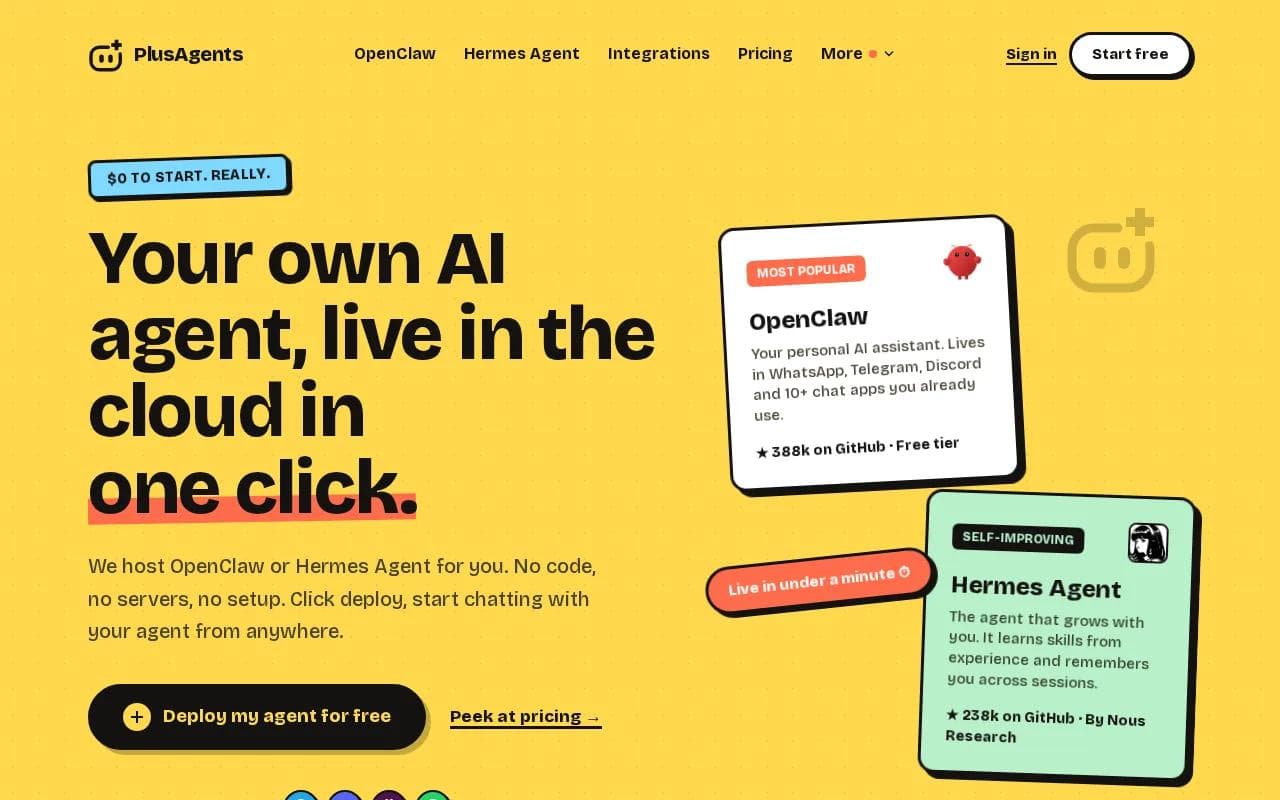
You pick an agent, choose a plan, and click deploy. The agent is usually live in under a minute. We handle setup, monitoring, automatic updates, and restarts. Every plan includes monthly LLM credits, so you don't need to add an API key before your first chat.
OpenClaw is the more familiar personal assistant. It can live in WhatsApp, Telegram, Discord, Slack, and other chat apps. You can ask it to research a topic, sort email, browse a page, work with files, or check information online.
Hermes Agent takes a different path. It has a built-in learning loop, which means it can turn past work into reusable skills. It also keeps memory across sessions and can schedule recurring tasks. Read the OpenClaw overview if you want to see how that agent differs from a normal chat window.
The honest catch is usage. The free plan includes $1 in monthly LLM credits and one active hour each day. Paid plans start at $19 per month for an always-on agent. Heavy web research can use credits quickly, although paid plans let you top up or bring your own keys.
Key Takeaway: Choose PlusAgents when you want an agent that acts from your usual chat apps, without managing servers.
2. ChatGPT: Familiar General-Purpose AI Assistance
ChatGPT is a general-purpose AI assistant with agent features for people who want one familiar place to ask, plan, draft, and sometimes delegate work. It suits students, professionals, and teams that want broad help before they build a more fixed workflow.

The key difference in the AI agent vs AI assistant split is execution. A normal ChatGPT chat may explain how to complete a task. Agent features can move closer to doing the task itself, such as working through a browser or handling a sequence of actions. That shift also means you need to give clearer instructions and review the result.
Agent work is best saved for a task with a clear finish line. For example, you might ask it to gather information from several pages and return a brief with links. You could also prepare a content plan in regular chat, then use agent mode for the part that needs browser work.
That separation matters because agent actions can use a limited quota, depending on the plan and feature access. A long back-and-forth session may spend more than expected. Keep prompts grouped. State the goal, the rules, the source material, and the format you want back.
ChatGPT can help with writing, analysis, and everyday tasks. The caveat is that ChatGPT remains a broad platform. You may need extra setup when you want a persistent assistant in WhatsApp, Telegram, or a custom workflow.
Pick ChatGPT when you want a known general assistant first. Pick an agent host when you want a personal worker that stays connected to your tools.
3. Google Gemini: Workspace-Friendly AI Help
Google Gemini is a strong fit for people who already spend their workday in Google products. In the AI agent vs AI assistant comparison, Gemini leans toward assistant-style help inside a wider work suite.

Its appeal is context. A Google Workspace team may already keep plans in shared documents, numbers in Sheets, meetings in Calendar, and messages in Gmail. An assistant that can work near those tools reduces the need to copy each piece into a separate chat window.
For example, a manager could ask for a summary of a project brief, then use that summary to shape a meeting agenda. A finance worker might ask questions about a connected sheet in plain language. The useful test is simple: can Gemini reach the data you already trust, with the access rules your organization allows?
That is where assistant and agent behavior split. Gemini can help you understand information and draft a response. An agent may go further by deciding what action comes next, calling a tool, or repeating a workflow. You still need to check permissions and confirm actions that affect customers, money, or shared records.
Google's Gemini service is the natural starting point for teams already tied to Google's tools. The tradeoff is that people outside that ecosystem may gain less from the built-in context.
Choose Gemini when your main need is help with work already stored in Google. Look elsewhere when your main need is a chat-first agent that can live across many channels.
4. IBM watsonx Orchestrate: Enterprise Process Automation
IBM watsonx Orchestrate is built for organizations that want AI assistants and agents to handle repeat work across business processes. It fits teams with formal workflows, system owners, and a need for more control than a personal chat tool usually provides.

The product is aimed at process work. That might mean helping staff complete a multi-system task or guiding an assistant through a defined business flow. Instead of asking a worker to copy details between systems, a company can design an agent that follows set rules and calls approved tools.
This is a different buying decision from choosing a personal assistant. An enterprise team will care about access control, review points, system fit, and how the workflow behaves when a step fails. It also needs people who can map the process before anyone automates it.
IBM describes watsonx Orchestrate as a way to design AI assistants and agents, automate repeat tasks, and simplify complex processes. It sits closer to an operations layer than a casual chat app. That makes it useful for structured work, but it can be too much for someone who only wants help with email or research.
Pro Tip: Before choosing an enterprise agent, write down the exact handoff it should own. If the process has no clear owner or finish point, automation won't fix the mess.
watsonx Orchestrate makes sense when the cost of manual handoffs is high and the organization can support a managed rollout. It is less suited to a solo user who wants to deploy an assistant in a chat app this afternoon.
5. Claude: Strong Long-Document and Analysis Support
Think about a contract pack, a research folder, or a set of customer notes. Instead of asking about one small excerpt at a time, you can give Claude a larger body of material and ask it to find themes, compare sections, or explain a gap. The output still needs review, especially when the source documents conflict.

Claude is useful in the middle of a workflow. You might use it to inspect a long report, then hand its notes to a human before a decision is made. It can also help turn messy source material into a short brief that another tool or colleague can use.
In the AI agent vs AI assistant discussion, Claude leans toward analysis and response. It may help you plan the next action, but that is different from living in your chat apps and carrying out tasks on its own. If your main need is document work, that distinction may not bother you.
Use case | Claude fits when | Look for an agent instead when |
|---|---|---|
Long documents | You need themes, summaries, or questions answered across many pages. | You need the system to fetch new pages or repeat the work on a schedule. |
Data review | You want to ask questions in plain language across several datasets. | You need the system to update another tool after the review. |
Daily assistance | You mainly need thoughtful replies and drafts. | You want an assistant that stays connected to chat apps and acts for you. |
Control | You can review each answer before using it. | You need approvals, logs, and fixed process rules across a team. |
Claude is a good choice when reading and reasoning are the task. For scheduled actions, app connections, or persistent memory, compare it with a hosted agent such as PlusAgents. The OpenClaw and Hermes comparison can help you decide which agent style fits your work.
FAQ
What is the difference between an AI agent and an AI assistant?
An AI assistant mainly responds to your requests, while an AI agent can take actions toward a goal. The line isn't perfect. ChatGPT, Gemini, and Claude can help with planning and analysis, while agent systems may browse, call tools, follow steps, or run scheduled tasks. Always check what actions a product can truly perform.
Is ChatGPT an AI agent or an AI assistant?
ChatGPT is primarily an AI assistant, but some features support agent-style work. It can move beyond a simple answer when it has access to tools and a task with clear steps. That doesn't mean every ChatGPT chat behaves like an autonomous agent. Check the feature, plan, limits, and approval flow before relying on it.
Which option is easiest for a non-technical user?
PlusAgents is the easiest option here for a non-technical user who wants a hosted AI agent. You choose OpenClaw or Hermes Agent, pick a plan, and deploy without code or server setup. The free plan lets you test the basic experience, while paid plans keep the agent running continuously.
Are AI agents more expensive than AI assistants?
AI agents aren't always more expensive, but their costs can be less obvious. You may pay for hosting, model use, connected tools, or extra actions. Traditional assistants often have a free tier, while an always-on agent may need a paid plan. Check what the monthly price includes and what happens when credits run out.
Should I choose an AI agent or an AI assistant?
Choose an AI assistant when you mainly need answers, drafts, summaries, or analysis. Choose an AI agent when you want the system to work across apps, remember context, run recurring tasks, or act after you give it a goal. Start with one task you repeat each week, then choose the lightest tool that can complete it.
Conclusion
For most individuals and small teams, PlusAgents is the usable starting point when the goal is a persistent AI agent without server work. Start with the free plan, choose OpenClaw or Hermes Agent, and test one repeat task. When you're ready, create your PlusAgents account and click deploy.
Ready to meet your agent?
Deploy OpenClaw or Hermes Agent in one click. Free to start.
Deploy my agent for free