OpenClaw is self-hosted software, which means before you get the fun part (an AI assistant in your pocket), you have one decision to make: where does it live? We have deployed OpenClaw more times than anyone should admit, both for ourselves and for every customer at PlusAgents, so here is the honest map of your three options: one-click cloud, your own machine, or your own server. If you are not yet sure what OpenClaw is, start here.
What OpenClaw needs, wherever it runs
- A machine that stays on. The Gateway is a long-running Node.js service. If the machine sleeps, your assistant sleeps.
- Node.js 26 (recommended; 22.22.3+, 24.15+ and 25.9+ are also supported).
- A model to think with. An API key from a provider, an existing Claude or Codex CLI login it can reuse, or a local model via Ollama or LM Studio.
- About five minutes, per the official docs. In our experience that is accurate for the install and optimistic for the fiddling afterwards.
Option 1: one click on PlusAgents (the shortcut)
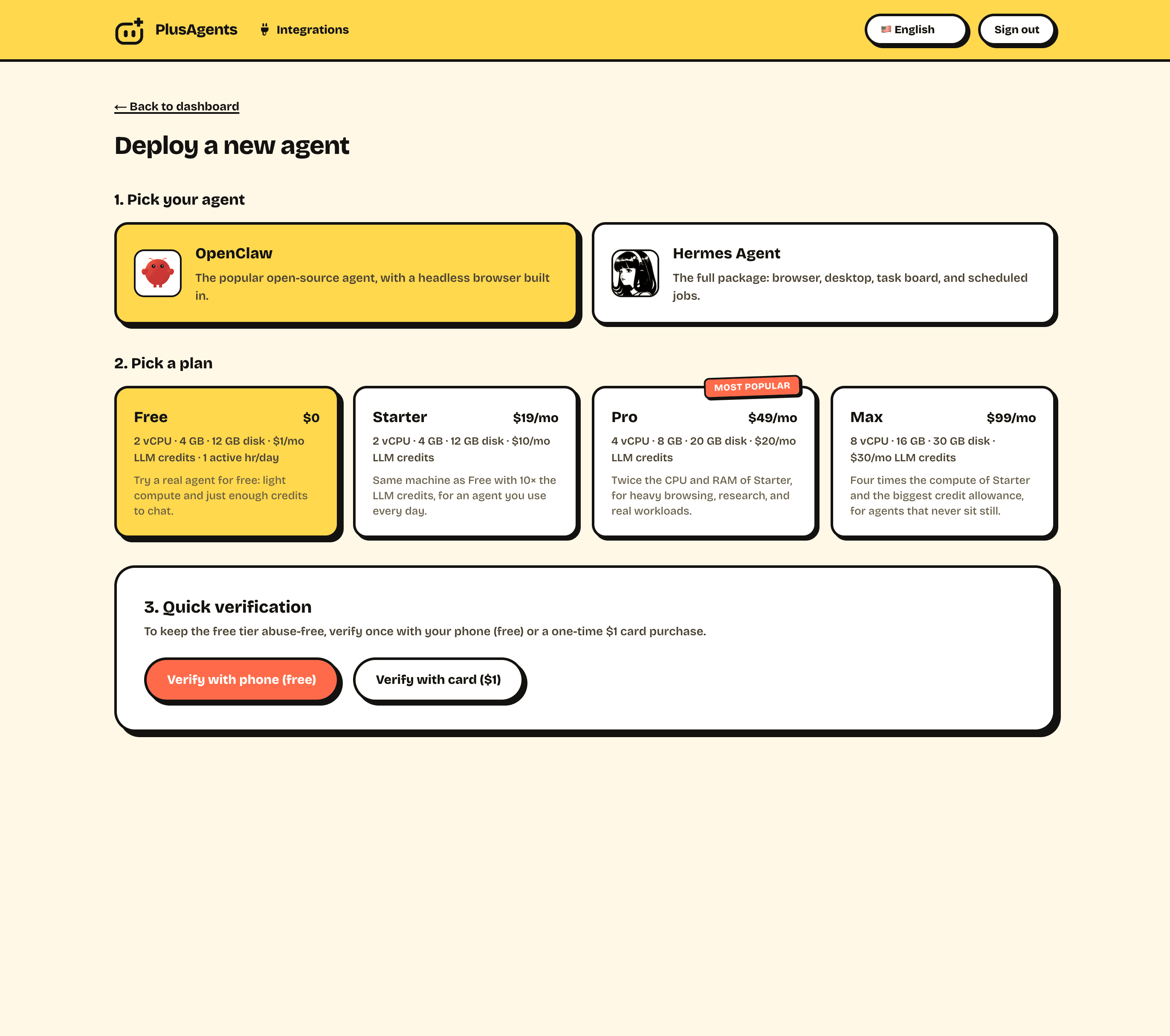
This is our product, so discount our enthusiasm accordingly, but the pitch is simple: we run OpenClaw in the cloud for you, and deployment is genuinely one click. The whole flow:
- Create an account (Google or Discord, no card required).
- Pick OpenClaw as your agent and choose a plan. The free one is fine to start.
- Click deploy. Your private instance boots in the cloud, usually in under a minute.
- Open your dashboard, say hello to your agent, and connect your chat apps with guided flows.
What you get that self-hosting does not include:
- LLM credits included. Every plan bundles monthly model usage, so there is no API key hunt and no second bill. Bring your own keys later if you prefer.
- Updates handled. OpenClaw ships constantly. We keep your instance current so you never wake up two majors behind.
- Monitoring and auto-restart. If your agent hiccups at 3am, it is our pager that goes off, not yours.
- No lock-in. It is stock open-source OpenClaw. Export your data and move to self-hosting whenever you like.
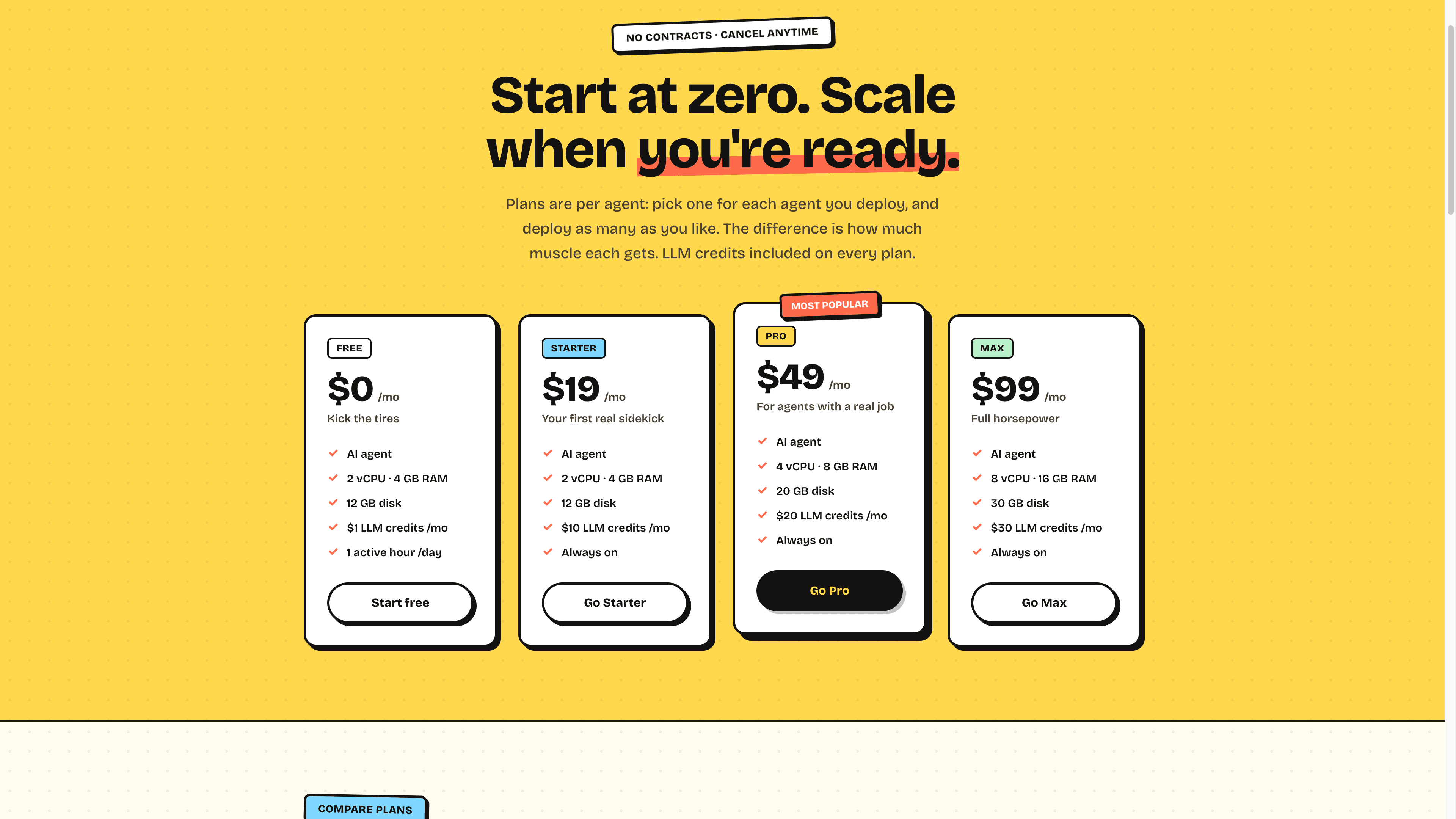
Pricing is per agent and starts at $0: the free plan gives you a real instance (2 vCPU, 4 GB RAM) with $1 of monthly LLM credits to kick the tires, and paid plans from $19 make it always-on with more credits and muscle.
Option 2: install it on your own machine
The classic path, and the right one if you want your agent close to your local files and apps, or you just enjoy owning the whole stack. On macOS or Linux, one command does everything:
curl -fsSL https://openclaw.ai/install.sh | bashOn Windows, PowerShell:
iwr -useb https://openclaw.ai/install.ps1 | iexPrefer not to pipe scripts into your shell? There are desktop apps for macOS, Windows and Linux that install everything including Node, plus npm and npx routes:
npx openclaw@latest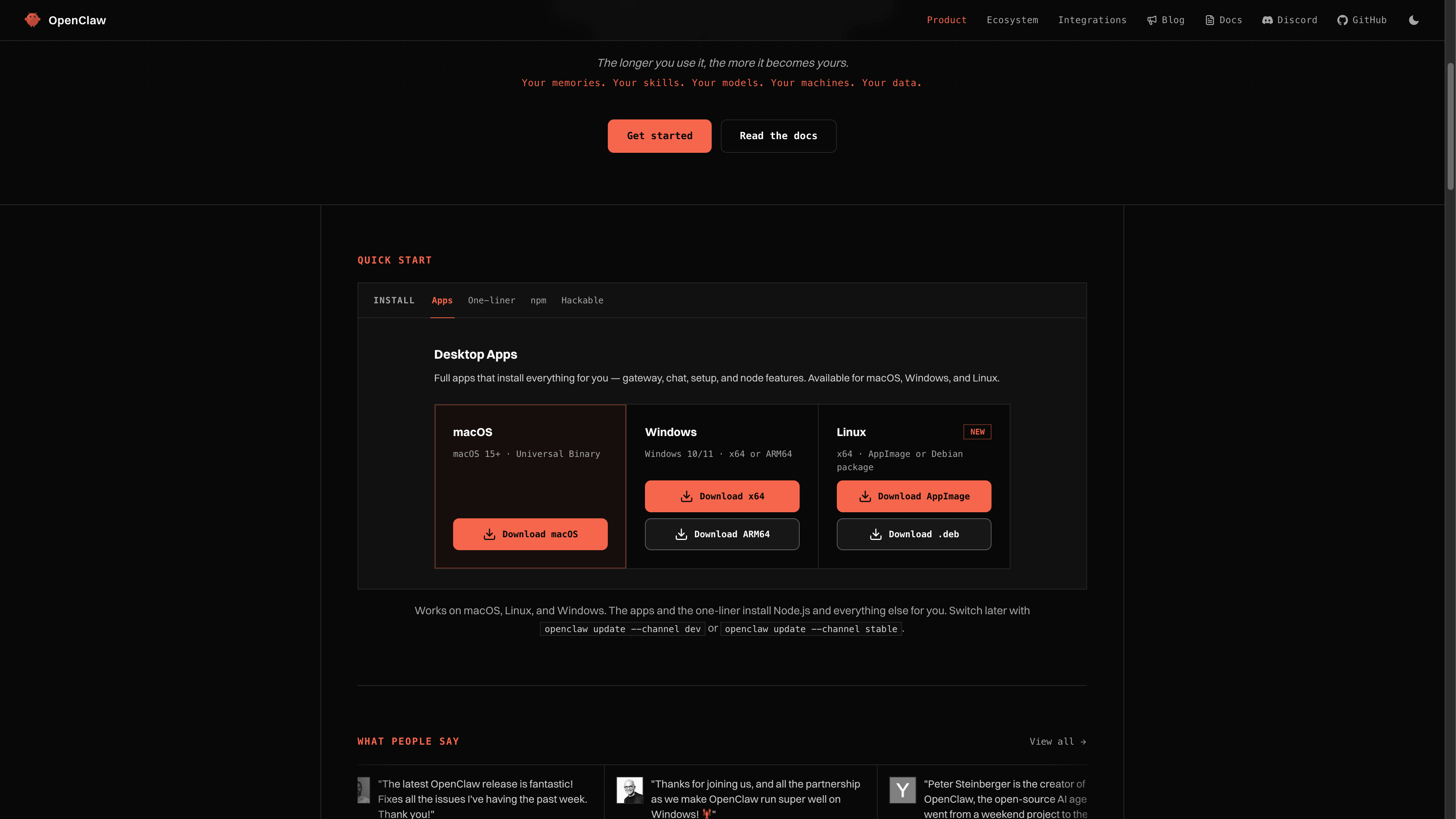
The installer hands off to a guided onboarding that finds AI access you already have (a Claude or ChatGPT CLI login, an API key, or a local Ollama model), verifies it works, and drops you into a chat. Two commands worth knowing afterwards:
openclaw gateway status   # is it running? (port 18789)
openclaw dashboard        # open the Control UI in your browser
To keep the Gateway alive in the background rather than tied to a terminal, run openclaw gateway install, which registers it as a service. And when something misbehaves, openclaw doctor turns the state of your install into an actionable diagnosis.
The honest catch: a laptop is a part-time home. Close the lid and your assistant is offline: no messages answered, no automations run. Local installs are perfect for evaluation and for desktop-centric workflows, but an assistant you message from your phone all day really wants a machine that never sleeps. Which brings us to...
Option 3: your own server
A VPS or a home server (that Mac mini in the drawer counts) gives you an always-on agent with full control. The install is the same one-liner; the difference is everything around it:
- Sizing: OpenClaw itself is light. 2 vCPU and 4 GB RAM is a comfortable floor; add headroom if you will lean on browsing-heavy tasks.
- Run it as a service with openclaw gateway install (or Docker; official images and Nix are supported) so it survives reboots.
- Do not expose the Gateway to the internet. It listens on port 18789 for you, not for the world. Reach it via SSH tunnel or a private network like Tailscale, and keep channel pairing allowlists tight.
- Plan for updates. OpenClaw moves fast. openclaw update is easy, but somebody (you) has to remember to run it, read release notes and fix the occasional breaking change.
- Watch it. Uptime checks, disk space, restarts after crashes. Boring until the day it is not.
None of this is hard for someone who enjoys servers. It is just a recurring chore, and it is exactly the chore we sell freedom from. Sensing a theme? The self-host versus hosted decision is really a question of whether your time or your $19 is cheaper.
Which one should you pick?
- Just want the assistant? One click on PlusAgents, free to start, live in a minute.
- Want it working on your local files and apps? Install locally with the one-liner or a desktop app.
- Enjoy ops and want total control? VPS plus service install, with the security notes above.
- Can't decide? Start hosted (it is free), and if you fall in love, graduate to your own server later. It is the same open-source software either way, and your data exports cleanly.
Once your agent is live, wherever it lives, the fun starts: our guide on how to use OpenClaw takes you from first message to daily automations. And if you are still torn between agents, OpenClaw vs Hermes Agent settles it honestly.
TL;DR: OpenClaw needs an always-on machine, Node 26 and a model. Fastest path: one click on PlusAgents, free to start, credits included. DIY paths: the curl one-liner on your machine for local powers, or a VPS with service install, tight pairing controls and a tunnel instead of an open port.
Ready to meet your agent?
Deploy OpenClaw or Hermes Agent in one click. Free to start.
Deploy my agent for free