Hermes Agent is the rare software where the deployment decision is not an implementation detail, it is the product decision. The whole point of Hermes is the learning loop: memory, self-written skills and scheduled jobs that compound over time. All of that assumes the agent is alive between your conversations. So the question is not just "how do I install it" but "where will it live 24/7". We host Hermes agents all day at PlusAgents; here are all your options, including the ones that do not involve us. Background reading: What is Hermes Agent?.
What Hermes needs
- An always-on Linux box, Mac or WSL2. Native Windows is experimental; the project recommends WSL2. Famously, a $5 VPS is enough.
- No prerequisites. The installer brings everything itself: uv, Python 3.11, the repo, dependencies. No sudo needed.
- A model provider. Nous Portal (OAuth), OpenRouter or any OpenAI-compatible endpoint. Hermes is model-agnostic; switching is one command later.
Option 1: one click on PlusAgents
Our product, our bias, your call. The reason hosted Hermes makes particular sense is the compounding: a self-hosted agent that you forget to restart loses days of learning, while a managed one just keeps accumulating skills. The flow:
- Sign up with Google or Discord. No card needed for the free plan.
- Pick Hermes Agent, choose a plan, click deploy.
- Your private instance is live in about a minute. Connect Telegram, Discord, Slack, WhatsApp or Signal from the dashboard's guided flows and start the relationship.
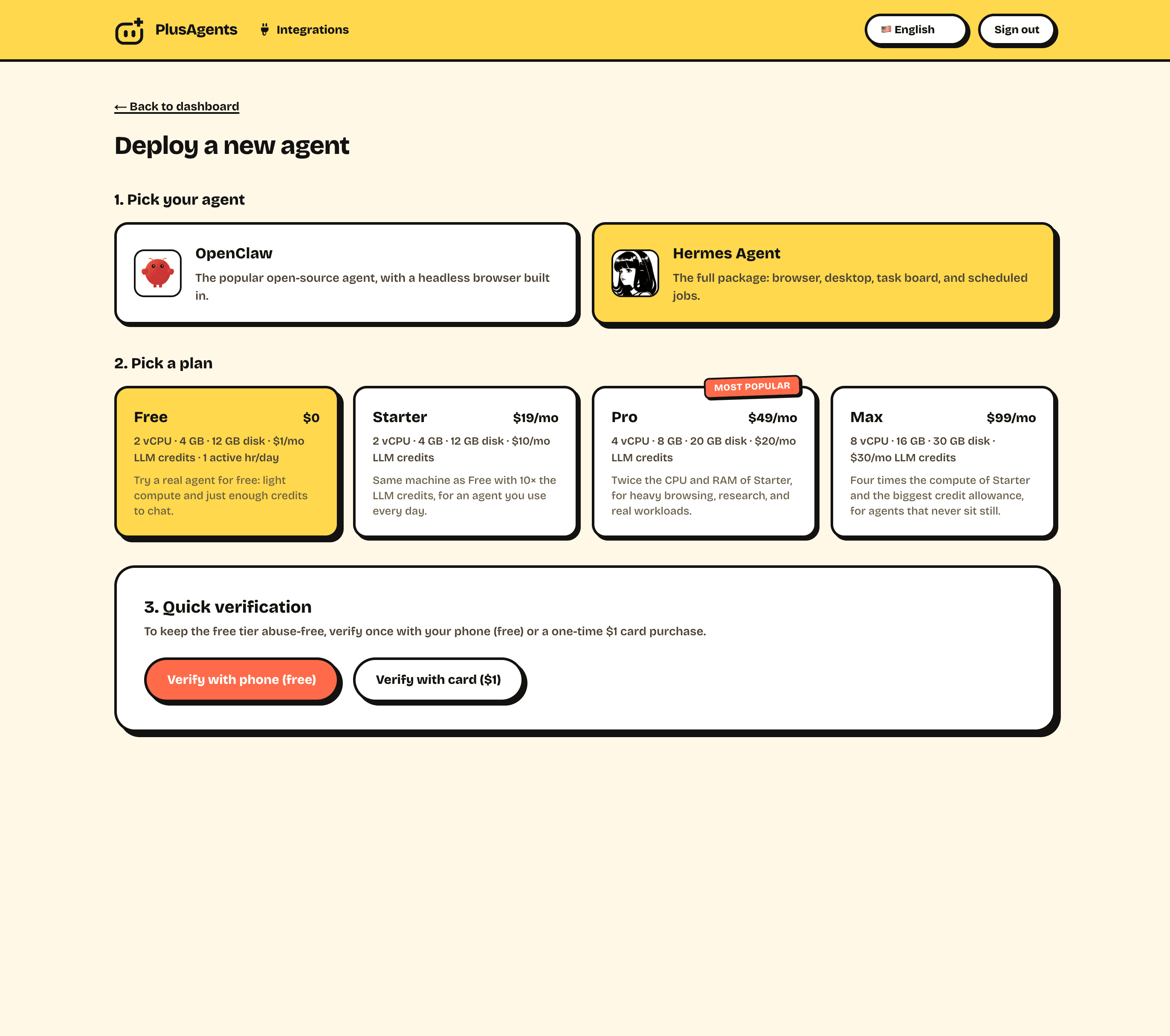
Included on every plan:
- LLM credits, so the agent thinks out of the box with no API key setup. You can plug in your own keys anytime.
- Automatic updates. Hermes ships fast (the Pantheon release rolled up ~5,800 commits). We track releases so your agent stays current without you reading changelogs.
- Monitoring and auto-restart, because an agent that quietly died on Tuesday is not learning anything.
- A dashboard for status, controls, credentials and channel setup.
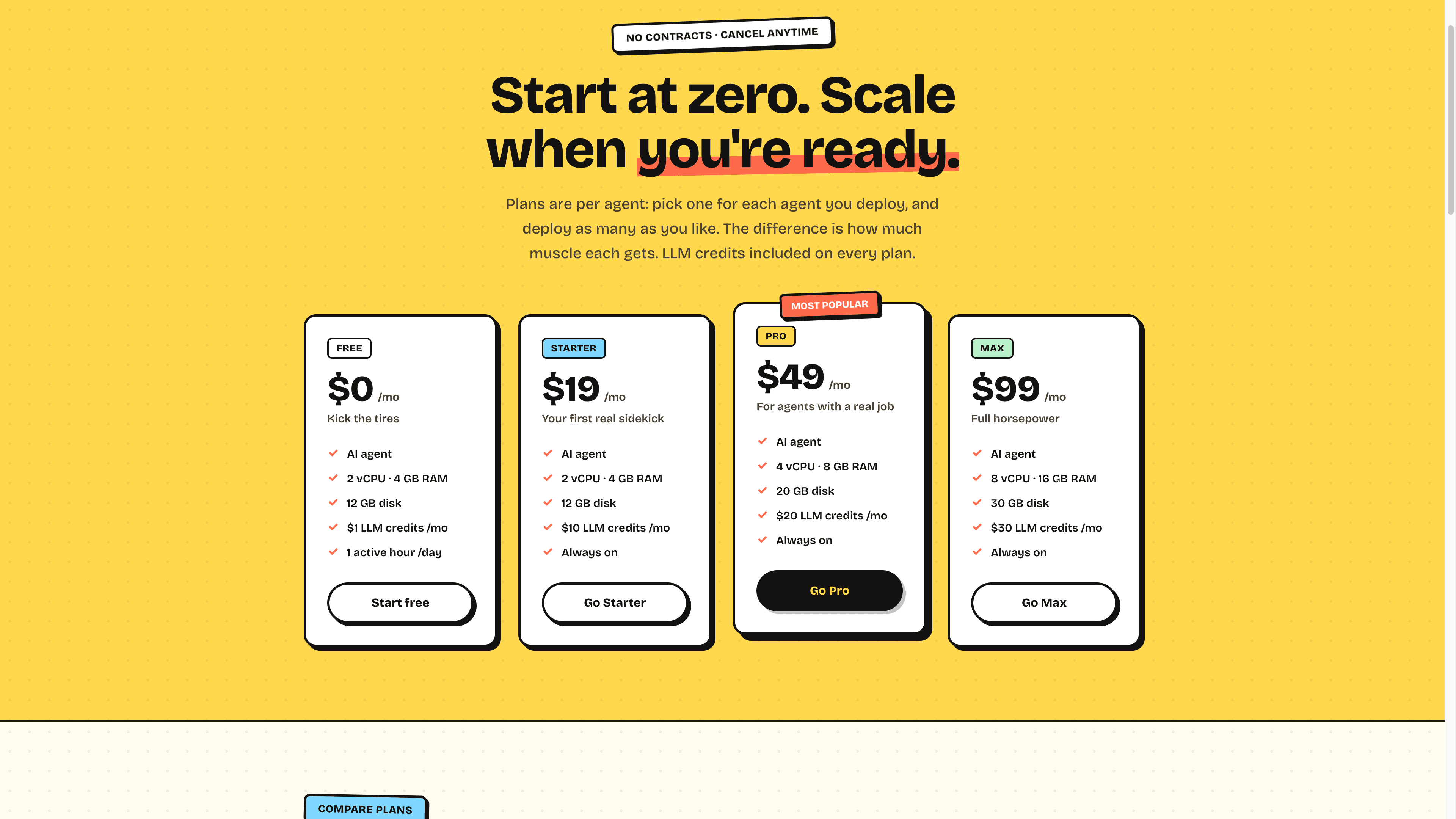
Plans are per agent, starting free: the $0 plan is a real instance for kicking the tires, and always-on plans start at $19 with more credits and resources as you scale up.
Option 2: self-host on a VPS (the classic)
Hermes was designed for exactly this, and the install is honestly one of the smoothest in open source. Rent a small VPS (1 to 2 vCPU, 2 GB RAM is plenty to start), SSH in, and run:
curl -fsSL https://raw.githubusercontent.com/NousResearch/hermes-agent/main/scripts/install.sh | bashThe script installs uv and Python 3.11, clones the repo and sets everything up, no sudo required. Then:
hermes setup     # interactive wizard: connect Nous Portal, OpenRouter, or your endpoint
hermes           # start the TUI and say hello
hermes gateway   # connect Telegram, Discord, Slack, WhatsApp, Signal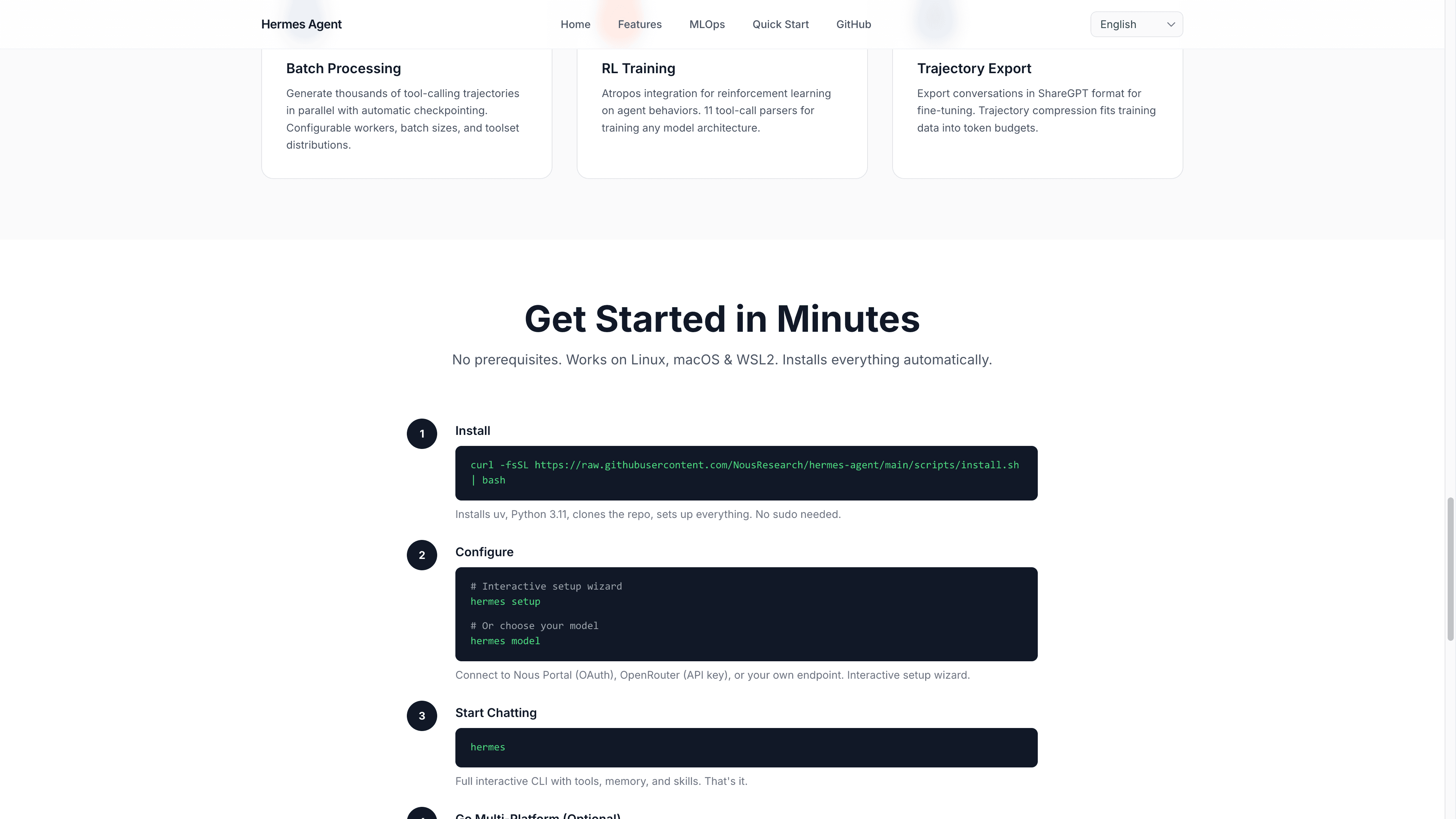
To make it a proper resident rather than a house guest:
- Run the gateway as a systemd service (the setup walks you through it) so it survives reboots and disconnects.
- Update regularly with a single command: hermes update. New features land weekly; the flip side is that somebody has to pull them.
- Back up the state. Memory, skills and session history are the whole value of a mature Hermes. Treat that directory like it is irreplaceable, because it is.
- Watch disk and uptime. Session logs and skills grow. A full disk is the least dignified way to lobotomize an agent.
Option 3: Docker, SSH and serverless backends
Hermes supports seven terminal backends: local, Docker, SSH, Singularity, Modal, Daytona and Vercel Sandbox. Two setups worth knowing about:
- Docker gives the agent an isolated, reproducible execution environment. Nice for keeping agent work contained on a shared machine.
- Serverless persistence on Modal or Daytona. The agent's environment hibernates when idle and wakes on demand, so a mostly-idle agent costs nearly nothing to keep. This is the budget option for a 24/7 agent that only works in bursts, at the cost of more moving parts to configure.
These are power-user paths. If the words "configure a serverless backend" spark joy, you will be fine with the docs. If they do not, options 1 and 2 cover you.
Which should you pick?
- Want the compounding without the ops? One click on PlusAgents, free to start, always-on from $19.
- Comfortable with a terminal and want it cheap? A $5 VPS with the curl install and a systemd service is a wonderful home.
- Infra enthusiast? Serverless on Modal or Daytona for near-zero idle cost.
- Whatever you pick, keep it on. An intermittent Hermes is a goldfish. A persistent one is a colleague.
Deployed? The real work starts now: our guide on how to use Hermes Agent covers the first-week moves that make the learning loop compound. Still weighing it against the other big open-source agent? Here is OpenClaw vs Hermes Agent, no punches pulled.
TL;DR: Hermes needs an always-on home more than any other agent, because its memory and skills compound with uptime. Easiest: one click on PlusAgents with credits included. Cheapest DIY: the one-line curl install on a $5 VPS, run as a service, updated with hermes update, and backed up like it matters.
Ready to meet your agent?
Deploy OpenClaw or Hermes Agent in one click. Free to start.
Deploy my agent for free