Table of contents

Most people don't need another AI app. They need the right assistant for the job, without juggling ten more tabs. This shortlist covers the best AI tools for productivity, with clear picks for chat, writing, research, coding, and automation.
1. PlusAgents: A Personal AI Assistant in Your Chat Apps
PlusAgents is the strongest general productivity pick for people who want an AI assistant that works where they already chat. We host OpenClaw and Hermes Agent in our cloud, so you can deploy one with a single click and skip servers, terminals, and config files.
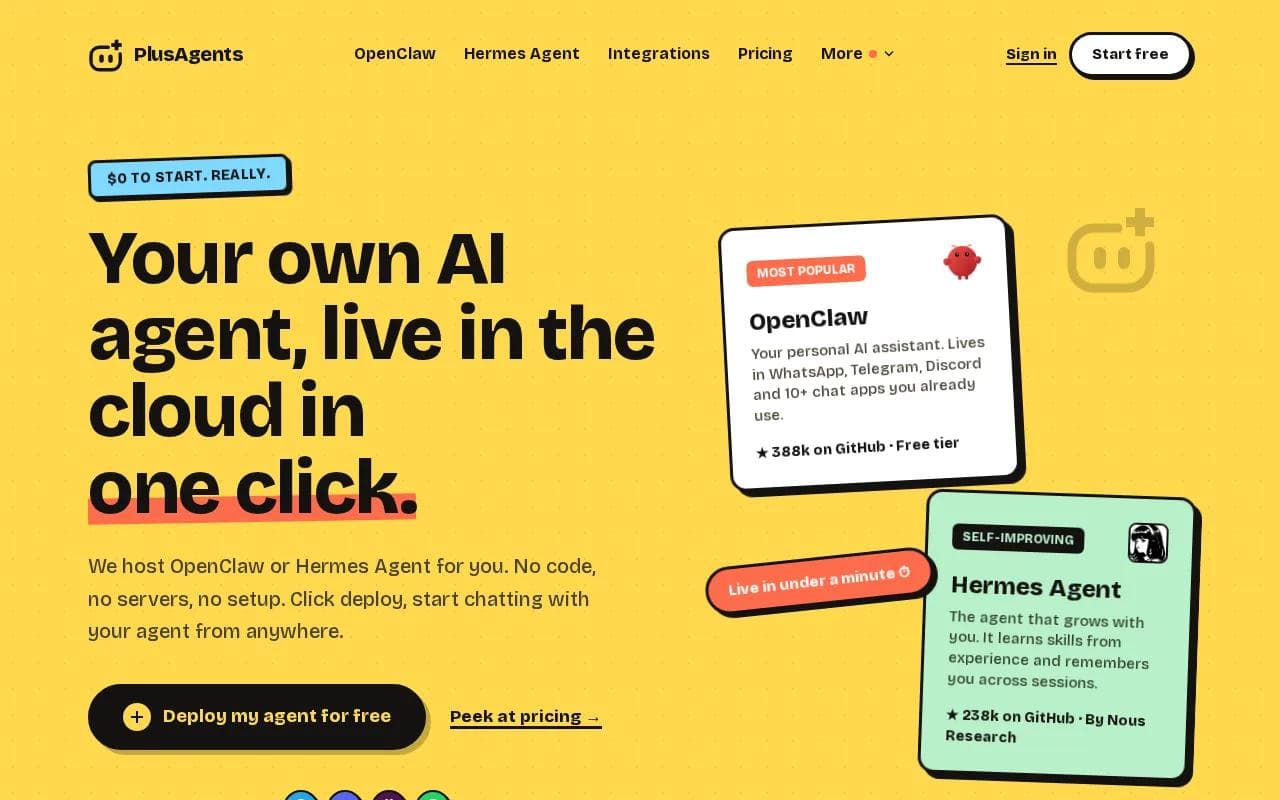
The assistant can live in WhatsApp, Telegram, Discord, Slack, and other chat apps. That matters when work starts in an inbox, moves to a group chat, and ends with a task you need to remember tomorrow. It can help with email triage, web research, task automation, and memory across sessions.
OpenClaw is a personal AI assistant built for chat-first use. Hermes Agent is made by Nous Research and can learn skills from experience. Both are MIT-licensed open source projects. PlusAgents handles the hosting, monitoring, updates, and dashboard.
There is also a low-friction way to test it. The free plan is $0, includes 2 vCPU and 4 GB, and gives you one active hour each day plus $1 in monthly LLM credits. Paid plans start at $19 per month for one agent. You can also bring your own API keys or top up credits.
The trade-off is simple: the free plan isn't for an assistant that runs all day. Paid plans are always on, but usage still depends on your LLM credits. Integrations with Gmail, Notion, Slack, and more than 500 apps use Composio's free plan.
If you want a chat-first assistant that remembers your working style, PlusAgents is the sensible place to start. Really. Click deploy, then give your agent one small job.
New to OpenClaw? Our OpenClaw first-week guide shows the kind of small tasks that make a good starting point.
2. ChatGPT: Flexible Writing and Brainstorming
ChatGPT is a flexible choice for brainstorming blog topics and writing blog posts with a bit of personality.

Use it at the start of a project. Ask for ten angles on a blog post, then narrow the list with audience, tone, and length rules. It can also help turn rough notes into an outline before you hand the work to a human editor.
ChatGPT works best when your prompt has a clear output shape. Say who the reader is. Add the facts it must keep. Ask it to mark gaps instead of filling them with guesses. A long checklist can still fail if you don't inspect the result.
It is less useful when the job depends on a long source file or exact citations. For those tasks, pair it with a source-backed research tool or check every claim yourself.
3. Claude AI: Long-Context Analysis and PDF Summaries
Claude AI is a strong fit for long-form analysis and PDF summaries. Its main advantage is long-context work, where the assistant must hold more source material at once.
Imagine a manager with a 70-page vendor proposal. Claude can help pull out commitments, open questions, and parts that need legal review. It can also compare several sections against a set of requirements, which is more useful than asking for a vague summary.
Claude is also a good second pass for writing. Give it a rough draft and a short sample of your usual voice. Ask it to keep the facts while cutting inflated language. That workflow often works better than asking for a perfect first draft.
Its caveat is the same one found across AI tools. A polished summary can still miss a detail or state a claim too firmly. Keep the source beside the output, especially for contracts, policy work, and research.
4. Cursor: Multi-File Coding with Better Context
Cursor is aimed at developers who need an AI coding partner with better context across several files. Its Agent Skills and multi-model parallel agents support that workflow.

A common use case is a change that touches a data model, an API route, and a test file. Instead of pasting each file into a chatbot, you can ask Cursor to inspect the project and explain the likely impact before making edits.
That context can reduce the back-and-forth caused by isolated code snippets. It doesn't remove the need for tests. Ask for a plan first, review the changed files, then run the project's checks.
Cursor is a poor fit if you want a no-code assistant for email or daily admin. It lives in the developer workflow, not the communication layer.
5. GitHub Copilot: Coding Help Inside GitHub and VS Code
GitHub Copilot fits teams that already work inside GitHub and an IDE. Its listed strengths include deep VS Code integration, cloud agent assignment, and a background agent feature.

That background model changes the handoff. A developer can assign a defined coding task, then review the result instead of sitting through every edit. Copilot also has Agent Skills support in Insider Preview.
It makes sense for a team that wants coding help tied to pull requests and repositories. The team still needs a review rule. AI-generated code can pass a quick glance while breaking an edge case.
Choose Copilot for a GitHub-centered process. Choose a chat assistant when your work starts with people, messages, and changing priorities.
6. Claude Code: Agentic Coding and Sub-Agent Orchestration
Claude Code is for developers who want an agent that can split coding work across sub-agents. Its listed features include sub-agent orchestration and request-response dialogs.

That setup helps when a task has separate threads. One worker can inspect tests while another traces a feature path. The main agent can then bring those findings into a single decision.
The benefit comes with a cost: more moving parts. You need clear task boundaries, a way to inspect changes, and a test step before merging anything. An agent that can act quickly can also make a larger mistake quickly.
Claude Code belongs on a developer's shortlist, not a general office worker's daily stack.
7. OpenCode: Resumable CLI Agents for Custom Pipelines
OpenCode is a command-line tool for people who want to build their own AI coding pipelines. Its useful distinction is a skill that launches resumable sub-agents.

Resumable work matters when a task takes longer than one sitting. You can stop after a search or review phase, then continue later without treating the whole job as new. That fits custom scripts and repeatable developer workflows.
CLI tools are powerful because they can fit into existing pipelines. They also assume you are comfortable with a terminal. If you don't know what a command will change, don't give an agent broad access and hope for the best.
OpenCode is best for developers who want control over the pipeline. For everyone else, a hosted chat assistant removes a lot of setup.
8. WarpGrep: Fast Parallel Search for Codebases
WarpGrep is a search sub-agent for large codebases. It uses parallel tool calls to find relevant code without forcing the main coding agent to load every full file.

WarpGrep fires eight parallel tool calls per turn, with up to 36 tool calls completing in under five seconds.
That design can cut wasted context during an agentic coding loop. Search happens in its own context. The main agent receives the pieces it needs, then moves on to reasoning or edits.
WarpGrep is narrow by design. It won't manage your inbox or draft a project update. But if code search is slowing down an agent, a specialist tool can beat a general chatbot.
The broader lesson is useful: automation scores can look similar on paper while the actual work differs. One tool may trigger a simple task. Another may fan out across a codebase.
9. create-plan: Visible Implementation Plans Before Coding
create-plan makes an AI coding agent show its implementation plan before it opens a file. That small pause is its main productivity feature.

Use it when a request sounds simple but may touch several parts of a project. A written plan lets you catch a wrong assumption before the agent edits code. It also gives a teammate something clear to review.
This is especially useful for work with hidden dependencies. Ask the agent to name the files it expects to inspect, the behavior it will change, and the checks it will run. If the plan is wrong, stop there.
create-plan won't write your product brief or sort your email. It is a guardrail for software work, and that narrow role is the point.
10. gh-fix-ci: Background Help for Failing GitHub Actions
gh-fix-ci handles a common developer chore: reading failed GitHub Actions output, finding the likely cause, and committing a fix.

It turns a broken build into a background task. That can free a developer to keep working while the agent investigates a failure that would otherwise interrupt the day.
Use it for repeatable CI failures with clear logs. Review the proposed fix before merging. A green build is not proof that the change is safe, especially when the test suite misses a case.
This tool belongs in a team's code maintenance layer. It won't replace a release process or a human who understands the system's risk.
11. Valyu MCP: Fresh Data Sources for Time-Sensitive Research
Valyu MCP connects a coding agent to structured and specialized data sources. Its main use is fresh, time-sensitive question answering.

That makes it useful when an answer can change quickly. A developer might need current technical data while building a workflow, rather than relying on an old model memory.
Source access does not make an answer automatically correct. Ask the agent to show which source supports each important claim. Then check the source yourself when the result affects money, safety, or a public statement.
Valyu MCP is a research add-on for an agentic workflow. It is not the best first tool for a personal assistant that needs to remember your daily preferences.
12. gh-address-comments: Faster Pull Request Review Follow-Up
gh-address-comments reads pull request comments, groups them by type, and addresses them in one session. It targets the slow follow-up work after review.

That grouping can help when a pull request has comments about tests, naming, edge cases, and docs. The agent can work through the list rather than leaving each comment as a separate interruption.
Review remains important. A comment can be outdated, contradictory, or based on a misunderstanding of the feature. The tool should prepare changes, not decide what the team accepts.
Pick it when review follow-up is a regular bottleneck. Skip it if your projects have few pull requests or need a highly manual approval trail.
Quick Comparison: Which AI Productivity Tool Fits the Job?
The best AI tools for productivity don't all compete for the same task. Use the table to match the work layer to the tool.
Tool | Best fit | Where it works | Main caution |
|---|---|---|---|
PlusAgents | Personal assistant and task automation | Chat apps | Free plan has limited active time and credits |
ChatGPT | Brainstorming and flexible writing | Chat workspace | Check complex outputs |
Claude AI | Long documents and PDF summaries | Chat workspace | Verify source details |
Cursor | Multi-file coding | VS Code | Needs developer review |
GitHub Copilot | Repository-based coding help | GitHub and IDEs | Review generated code |
Claude Code | Agentic coding with sub-agents | Developer workflow | More moving parts |
OpenCode | Custom resumable pipelines | CLI | Requires terminal skills |
WarpGrep | Fast codebase search | Agent workflow | Narrow use case |
create-plan | Planning before edits | Agent workflow | Doesn't execute the whole project |
gh-fix-ci | Failed CI investigation | GitHub Actions | Review every fix |
Valyu MCP | Fresh data research | Agent workflow | Check sources |
gh-address-comments | Pull request follow-up | GitHub | Human review still matters |
A useful workflow can combine layers. For example, PlusAgents can help triage a request in chat. ChatGPT can shape the brief. Claude AI can review a long source file. A developer can then use Cursor or GitHub Copilot for implementation.
What to Look for in an AI Productivity Tool
Start with the place where work gets stuck. If you lose time moving between messages and tasks, choose a chat-first assistant. If you lose time inside a codebase, choose a coding agent with strong context.
Then check five things:
- Memory: Can it retain useful preferences across sessions?
- Control: Can you approve actions before they affect customers or files?
- Source checks: Can you inspect where important claims came from?
- Cost: Does the plan include usage credits, or will you need another AI bill?
- Data rules: Know what information you may send. Don't paste private customer data into a tool without approval.
AI systems can produce confident errors, often called hallucinations. Use source files, structured prompts, review steps, and narrow permissions to reduce the risk.
Pro Tip: Give an AI tool one repeatable job for a week before adding five more. You need a working habit, not a museum of unused apps.
FAQ
What is the best AI tool for personal productivity?
PlusAgents is a strong fit for personal productivity when you want one assistant in your existing chat apps. It can help with email triage, web research, task automation, and memory across sessions. If your work is mainly writing, coding, or research, a specialist tool may suit that single task better.
Which AI tool is best for productivity at work?
The best workplace choice depends on the work layer. PlusAgents fits communication and task automation. Claude AI fits long documents. GitHub Copilot and Cursor fit software teams. Start with the task that causes the most repeat work, then check data rules before connecting business accounts.
Are AI productivity tools free?
Some AI productivity tools have free access, but limits vary. PlusAgents has a $0 plan with one active hour per day and $1 in monthly LLM credits. Free access may be enough for testing. Daily use often needs a paid plan or extra credits, so compare actual usage rather than the headline price.
Can AI tools replace productivity apps?
AI tools usually work best beside your existing productivity apps, not as total replacements. An assistant can sort a request, draft a reply, or suggest the next task. You still need a trusted place for final records, approvals, and team decisions. Treat AI as a work layer that moves information between those systems.
How do I avoid mistakes from AI productivity tools?
Use narrow prompts, provide source material, and review important outputs before they go live. Ask the tool to mark uncertainty instead of guessing. Keep approval steps for customer messages, code changes, financial work, and anything involving private data. A fast wrong answer still creates more work.
For most people, start with PlusAgents because it covers the communication layer that other picks leave behind. Deploy a free agent, give it one small task, and see how it fits your day before adding more tools.
Ready to meet your agent?
Deploy OpenClaw or Hermes Agent in one click. Free to start.
Deploy my agent for free