Table of contents

A WhatsApp AI chatbot can answer late-night questions, qualify leads, and book a meeting while you sleep. The catch is that these tools are built for very different jobs. Here are six strong options, with the best fit, key limits, setup notes, and pricing details for each.
1. PlusAgents
PlusAgents is a one-click way to put an AI agent inside WhatsApp and other chat apps. It’s best for freelancers, solo operators, remote workers, and small business owners who want an assistant without touching a server.
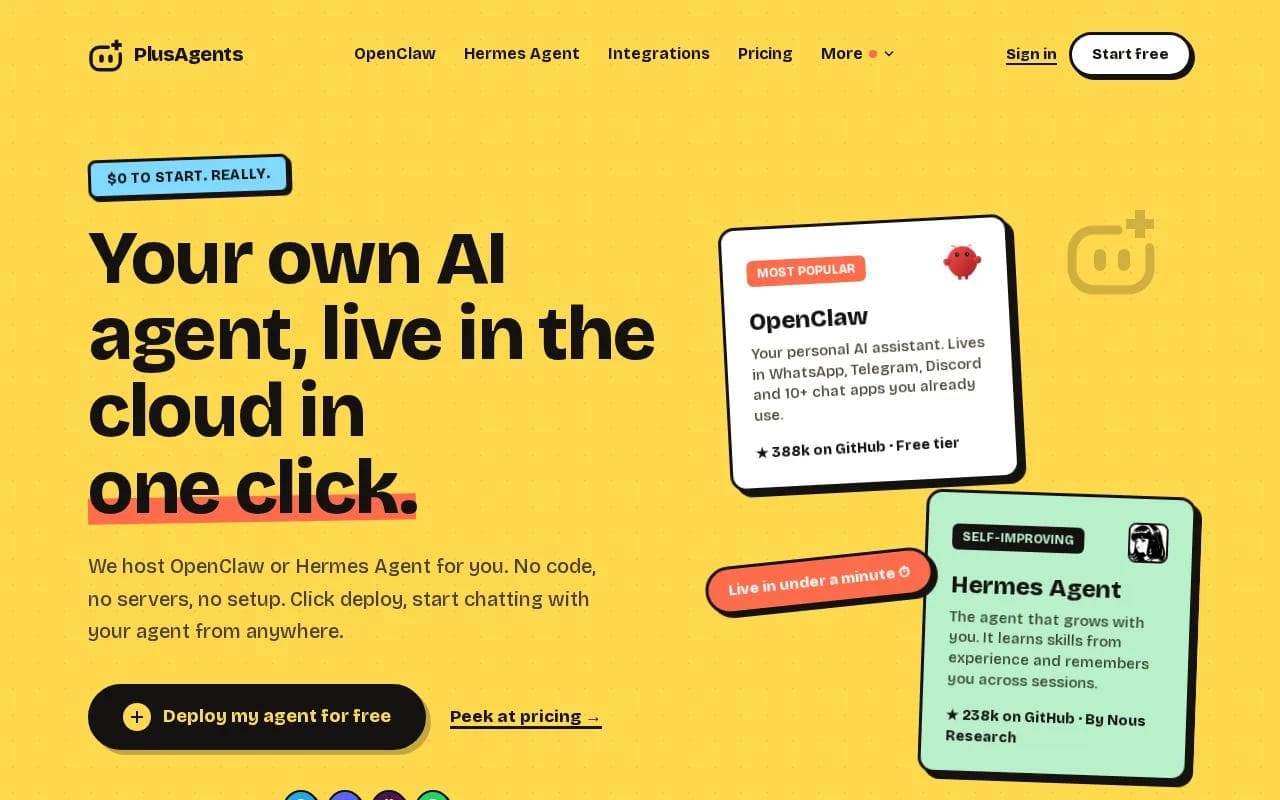
We host OpenClaw and Hermes Agent in our cloud. OpenClaw can live in WhatsApp, Telegram, Discord, Slack, and other chat apps. Hermes Agent can remember you across sessions and learn skills through use. Both are MIT-licensed open-source agents. You pay PlusAgents for hosting, not for the agents themselves.
That makes this pick different from a chatbot tied to one support inbox. You can ask your agent to sort email, research a topic, draft a reply, or run a task from the same chat thread. It keeps persistent storage, so your setup and working context don’t vanish when a new session starts.
If you want a plain explanation of the agent behind the setup, read how the open-source assistant works. You don’t need code, a terminal, or config files on the hosted path. Click deploy, connect your chat app, and start sending messages.
Pricing is clear. The free plan costs $0 and includes 2 vCPU, 4 GB of memory, $1 in monthly LLM credits, and one active hour each day. Starter is $19 per month. Pro is $49, and Max is $99. Each paid plan includes monthly LLM credits. You can also add credits or bring your own API keys.
The limit is worth spelling out. The free plan isn’t an always-on business support desk, and LLM credits are capped. Paid plans stay on, but usage still depends on your plan and credit balance. For a personal assistant that works across chat apps, though, the trade is sensible. It’s a focused tool, not a giant help desk.
Our take: choose PlusAgents when you want one assistant that can act across your daily chats. If your main need is a large team inbox with ticket rules, keep reading.
2. Quickchat AI: AI-first support and sales automation
Quickchat AI is aimed at enterprises that want an AI-first support and sales layer for WhatsApp. It fits teams that need a business-trained agent rather than a personal assistant.
The useful distinction is its focus. You train the bot on business content, then use it to answer support questions or move a sales conversation forward.
Quickchat AI offers a free software tier, although Meta message fees still apply. Paid chatbot pricing varies by usage, channels, model choice, and integrations.
That last point matters. A free platform tier doesn’t mean every message is free. You need to check the vendor charge, WhatsApp fees, model usage, and any cost for resolved conversations. Pricing can depend on volume, model choice, integrations, and build method.
Quickchat AI is a better fit for a company with an existing sales or support process. A team can feed the bot approved answers, then review conversations when the bot can’t finish a request. That setup is more useful than letting a general bot guess at refund rules or product details.
The caveat is scope. If you want memory across your work chats, email tasks, and web research, this may feel narrow. If your goal is business support on WhatsApp, its focus is the point.
3. Respond.io: Shared inboxes and conversation routing
Respond.io is built for businesses that need a shared inbox around a WhatsApp AI chatbot. It suits teams with several agents, multiple conversations, and a need to route chats to the right person.

Its strongest use case is orchestration. A shared inbox gives your staff one place to see customer messages. Routing rules can send a sales question to sales, a delivery issue to support, and a complex case to a manager.
That structure matters more as chat volume grows. A bot can handle the first reply, but a person still needs to take over when a customer is upset or asks for an exception. Routing keeps that handoff visible instead of leaving the customer in a dead-end bot loop.
Respond.io also makes sense when WhatsApp is one channel among several. The research positions it around inboxes, agents, routing rules, and channel orchestration. In other words, it is closer to a team communication system than a single-purpose AI helper.
The trade-off is setup work. You need to define teams, ownership, routing logic, and escalation rules. A small shop with one owner may find that heavier than needed. A growing support team may see the same structure as the reason to buy.
Pick Respond.io when the handoff is the hard part. If the hard part is getting your own assistant live with no code, PlusAgents is the simpler route.
4. Dapta: One no-code agent across multiple channels
Dapta is a no-code platform for chatbots and voice agents. It fits teams that want one agent across WhatsApp, web chat, and voice without writing code.

It also lists 2,000 free credits. That makes it worth a look if your main goal is turning a conversation into a sales task.
Imagine a prospect asking about a service after business hours. The agent can ask qualifying questions first. It can then record the lead and move the person toward a booking. Your team starts the next day with a clearer handoff instead of a blank inbox.
It speaks natural Spanish with Latin American accents. That can matter for teams that serve customers in both English and Spanish.
There is a difference between a voice-capable agent and a text-first helper. Voice flows need stronger fallback rules because callers often interrupt, change topics, or give details out of order. Test those paths before you put the agent in front of paying customers.
The caveat is that Dapta’s value is tied to lead and appointment workflows. If you mainly want an assistant to research the web or sort your inbox, its sales focus may be more than you need. If every WhatsApp chat should end in a qualified lead or booked time slot, it is a better match.
For a service business, the workflow can be simple. A customer asks about a repair, the bot gathers the job details, then a human confirms the visit. That same pattern can support plumbing inquiries, including questions about trenchless pipe repair versus traditional methods, before a team member handles the quote.
5. ManyChat: Marketing flows for WhatsApp and social channels
ManyChat is a marketing automation tool for WhatsApp and social channels. It’s best for brands that want structured campaigns, lead capture, and follow-up flows on Instagram, Messenger, and WhatsApp.

ManyChat is useful when the conversation starts with a campaign. A person replies to a post or message, receives a prompt, and moves through a planned flow. The system can ask for an email, point someone to an offer, or hand a warm lead to a person.
This is a different job from an open-ended assistant. Marketing flows work best when you know the next action. For example, a customer might ask for a guide, select a product interest, then request a follow-up. Clear choices reduce the chance that the bot wanders.
The research places ManyChat among tools known for social and WhatsApp automation. It also says the product shines for marketing flows on Instagram and Messenger. That makes it a strong choice for a creator, ecommerce team, or brand with a steady social audience.
Its limit is depth in support. If customers need order checks, complex account help, or long-running memory, test the handoff and knowledge limits before choosing it.
Choose ManyChat when your main question is, “How do I turn a social reply into a marketing action?” Choose another tool when the question is, “How can an assistant work with my whole day?”
6. Tidio: Simple AI support for small businesses
Tidio is a simple support tool for small businesses and online stores. Its AI agent, Lyro, handles live chat and automated replies.

The free plan includes 50 conversations. That gives a small team a low-risk way to test the quality of automated replies before committing to a larger plan.
Tidio fits a shop where the same questions arrive each day. Customers may ask about opening times, shipping, returns, or basic product details. A support bot can answer those first questions while a person handles unusual cases.
The appeal is speed. Small teams often don’t need a complex routing system on day one. They need a chat box that can answer common questions and show when a human should step in. Tidio’s simple shape suits that starting point.
Still, a free conversation limit is a test budget, not a forecast. Count the chats you receive in a normal week. Then check what happens when the bot reaches its limit, when a user asks a question outside its knowledge, and when a customer wants a person.
Tidio is a sensible entry point for a small store with live-chat needs. It is less compelling if you want an AI assistant that works across WhatsApp, email, Slack, and your personal task list. For that broader pattern, a chat-based assistant may be a better fit.
Key Takeaway: Pick a support-first tool for customer queues, a marketing tool for campaigns, or PlusAgents when you want a cross-app assistant.
WhatsApp AI chatbot comparison: features, setup, and best uses
There is no single winner for every WhatsApp AI chatbot project. The right choice depends on what happens after the first reply. A personal assistant needs memory and broad actions. A support team needs routing. A campaign needs clear flows.
WhatsApp’s business messaging layer connects business messaging to software. You still need to check account approval, message rules, consent, and any fees that apply to your setup.
Tool | Best fit | Strong point | Watch for |
|---|---|---|---|
PlusAgents | Personal assistants and small operators | One-click hosting across chat apps, persistent storage, task automation | Free plan has one active hour daily and capped LLM credits |
Quickchat AI | Enterprise support and sales | AI-first business conversations and listed CRM support | Plan limits and Meta message fees can affect total cost |
Respond.io | Teams with shared inboxes | Routing, agent ownership, and channel orchestration | More setup than a solo user may need |
Dapta | Lead qualification and bookings | One no-code agent for chat, voice, and WhatsApp | Best value depends on sales workflow needs |
ManyChat | Social and WhatsApp marketing | Campaign flows and social automation | Less suited to deep support or heavy CRM work |
Tidio | Small business support | Simple live chat with AI replies | Free plan covers 50 conversations |
How to connect a WhatsApp Business number
Most no-code setups follow the same broad path. Start with a WhatsApp Business account and a Meta Business portfolio. Then connect the number inside your chosen chatbot tool.
- Prepare the business account. Set up the Meta Business portfolio and confirm your business details. You may need a website or another web presence.
- Choose the number. Check whether the number is already tied to a personal or existing WhatsApp account. Some providers require a number that is not already connected.
- Install the WhatsApp connection. Open the tool’s integrations or communication channels area. Select WhatsApp, then follow the authorization flow.
- Pick the business assets. Choose the correct business portfolio, WhatsApp Business profile, and phone number when prompted.
- Teach the bot. Add approved pages, help documents, FAQs, and instructions. Keep answers specific. Tell the bot when to hand the chat to a person.
- Test real message types. Send text first. Then test a voice note, image, and document if your workflow needs them. Many bots handle text well but need special setup for media.
- Publish and monitor. Start with a small audience. Review failed replies and update the knowledge base. Don’t let the bot guess about refunds, payment disputes, or sensitive account data.
Media support deserves its own test. A customer might send a voice note about a damaged item, a photo of the damage, or a PDF receipt. A capable workflow must identify the message type, process it, confirm what it received, and route the case when confidence is low.
Prompt design also matters. Give the agent a role, a tone, the facts it may use, and a clear stop rule. Tell it to ask one question at a time when collecting lead details. Add language rules if customers may write in more than one language.
Security needs the same care as the prompt. Don’t upload private records just because a tool accepts documents. Set a retention policy, limit staff access, and check the vendor’s terms before sending personal or payment data through an AI system. The PlusAgents terms explain the limits around connected chat platforms and AI model providers.
Pricing needs a wider view than the monthly plan. Add WhatsApp message fees, model credits, seats, setup time, and human review. A free tier can be useful for testing, but its message cap may not match your busy season.
Persistent memory is much less common than integration claims. That is why a tool that remembers ongoing context can feel very different from a bot that starts fresh each time.
Pro Tip: Test the five conversations you receive most often before you compare feature lists. A bot that handles your real questions beats one with a longer integration page.
FAQ
What is the best WhatsApp AI chatbot?
PlusAgents is a strong fit for a no-code personal AI assistant that works across WhatsApp and other chat apps. It hosts OpenClaw and Hermes Agent with persistent storage, web research, email help, and task automation. For team support, sales flows, or marketing campaigns, a specialized platform below it may fit better.
Can I use an AI chatbot on WhatsApp for free?
Yes, some WhatsApp AI chatbot tools have free plans or trials, but limits vary. You may face caps on replies, conversations, credits, or active time. Meta message fees can also apply. Treat free access as a test period, then estimate cost using your actual chat volume.
Do I need coding to set up a WhatsApp AI chatbot?
No, many tools provide no-code setup. You usually connect a WhatsApp Business account, authorize the business portfolio, add knowledge, and publish the bot. Custom media handling, CRM actions, or complex routing may need more setup. PlusAgents avoids code on its hosted deployment path.
Can a WhatsApp AI chatbot handle voice notes and images?
Some can, but you must test each message type. Voice notes may need transcription. Images may need vision processing. PDFs may need file extraction. A text-only WhatsApp AI chatbot can fail when a customer sends a photo or receipt, so include those cases in your test plan.
How much does a WhatsApp AI chatbot cost?
Pricing ranges from free tiers to enterprise plans. Your total cost depends on conversations, AI model use, seats, integrations, and WhatsApp fees. PlusAgents has a $0 plan plus paid hosting plans at $19, $49, and $99 per month, with monthly LLM credits included.
Which chatbot is best for WhatsApp lead capture?
Dapta is a strong fit when lead capture ends in qualification, CRM sync, or appointment booking. ManyChat fits campaign-led marketing flows. Quickchat AI suits larger support and sales teams. Pick based on the action after the chat, not the number of badges on the pricing page.
If you want a WhatsApp AI chatbot that can also act as your daily assistant, start with PlusAgents. Deploy OpenClaw or Hermes Agent on the free plan, connect your chat app, and test one useful task today. If it earns its place in your routine, move to an always-on plan when you’re ready.
Ready to meet your agent?
Deploy OpenClaw or Hermes Agent in one click. Free to start.
Deploy my agent for free