Table of contents

AI agents are moving past simple chat. They can sort inboxes, search the web, draft replies, and run tasks after you give a clear goal. Here are five AI agent examples worth knowing, plus the work each one fits best.
1. PlusAgents
PlusAgents hosts OpenClaw and Hermes Agent in the cloud, so you can deploy a personal AI assistant without touching a server. It fits freelancers, remote workers, small business owners, and anyone who lives in chat apps.
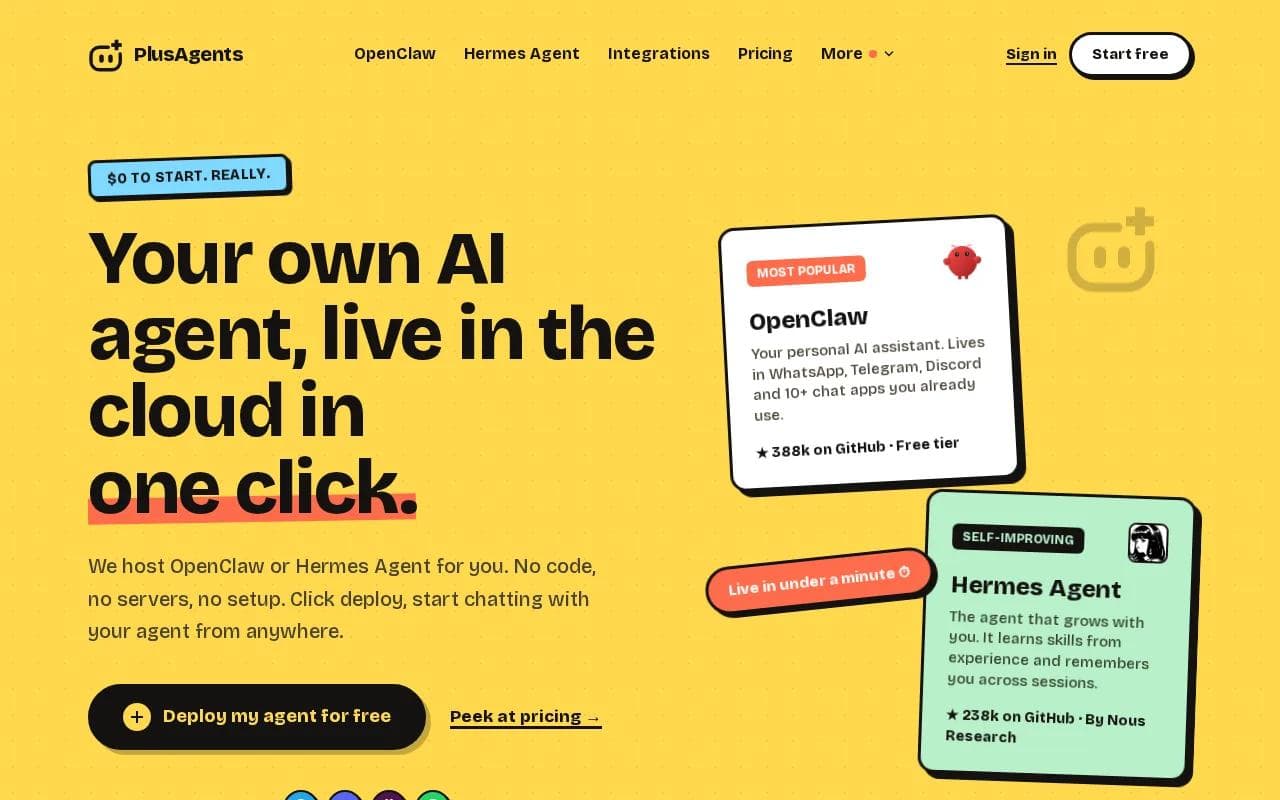
Click deploy and your agent is usually live in under a minute. We handle setup, updates, monitoring, and restarts. Your agent can then meet you in WhatsApp, Telegram, Discord, Slack, or other supported chat apps.
OpenClaw is a strong fit when you want a broad chat footprint and a large plugin community. It can help with web research, email work, files, browsing, and other tasks. Hermes Agent fits people who want deeper memory and a learning loop. After a hard task, it can save a reusable skill and improve it with use.
PlusAgents also includes monthly LLM credits, so you don't need an AI provider key on day one. The free plan costs $0, includes $1 in monthly credits, and allows one active hour per day. Paid plans stay on around the clock. Limits are clear, which is refreshing in a market where usage rules can be hard to find.
If you want the broader category explained without server talk, see this no code AI agent platform overview. It shows how a hosted agent differs from a normal chatbot.
There are tradeoffs. The free plan isn't an always-on service, and monthly LLM credits are capped. Heavy research can use credits faster than short chats. You can top up on paid plans or bring your own keys, but you still need to watch usage.
For a regular person who wants an agent running quickly, this is the least fussy route. Start a free PlusAgents deployment when you're ready to test one task.
2. ChatGPT: Flexible brainstorming and drafting
ChatGPT is one of the most familiar AI agent examples for writing, brainstorming, and general questions. It works on the web and mobile, and it accepts more than plain typed prompts.

Use it when the work begins with a blank page. You can ask for a brief, paste notes, share an image, or request several versions of a message. It can help shape a product outline, explain a dense document, or turn rough thoughts into a clean draft.
That flexibility makes ChatGPT useful for solo work. A freelancer might use it to turn a call transcript into a project brief. A manager might ask it to rewrite a tense customer reply in a calmer tone. A student might use it to test their grasp of a difficult idea.
The phrase AI agent has a specific meaning in this setting. An AI agent can perceive its environment and act toward a goal. ChatGPT can reason through a task, but action depends on the tools and connections around it.
Use ChatGPT for thought work first. If you need a persistent assistant that lives in your messaging apps, look at a hosted agent instead.
3. Google Gemini: A fit for Google Workspace users
Google Gemini belongs on any list of AI agent examples for people who spend their day in Google products. Its main draw is the Google ecosystem, with support for tasks such as email summaries and presentation generation.

That setup can save time during a morning review. Instead of opening every thread, you might ask for a summary of recent mail. A team lead could use it to turn notes into a presentation outline. Gemini's multimodal approach also lets it work with more than text, including images.
It makes the most sense when your files, mail, and calendar already sit inside Google's tools. Fewer context switches can mean less copying between apps. The value comes from where the assistant works, not from a long list of unrelated features.
Gemini also isn't the same thing as a self-directed assistant that keeps working after you leave the screen. Before adopting it for a repeat task, check which actions it can take and which still need your approval.
Pick Gemini when your work already lives in Google Workspace. If your work is spread across WhatsApp, Slack, and other apps, a multi-channel agent may fit better.
4. Lindy: Custom workflows for email and meetings
Lindy is a web-based tool for custom AI agents that handle email triage, meeting scheduling, lead qualification, and Slack summaries. It suits people who want to shape repeat workflows around their own rules.

Imagine a shared inbox that needs a first pass each morning. A Lindy workflow could sort messages by intent, flag a sales lead, or prepare a draft for review. For meetings, it can help manage scheduling work that would otherwise bounce between several messages.
Lindy's strength is the ability to define a process rather than ask one broad question. You can set the job, connect the relevant tools, and tune the result as you learn what needs attention.
That control comes with a cost. The research context points to a steep learning curve and setup confusion. You may spend time learning how each agent behaves before the workflow saves time. It is a better fit for someone willing to test rules than for someone who wants a one-click personal assistant.
Start with one narrow job. For example, ask the agent to label meeting requests before you let it help with replies. Small tests make mistakes easier to spot.
For a wider look at agents that connect daily apps and repeat tasks, the AI workflow automation guide gives useful context. Lindy is a builder-led option. PlusAgents takes more of the hosting work off your plate.
5. Perplexity AI: Research with cited web answers
Perplexity AI is a research-focused example. It uses live web search to produce answers with citations and can build longer reports from a question.

That makes it useful at the start of a project. You could ask for a comparison of suppliers, a summary of a new topic, or a first pass on market changes. The citations give you a path back to the pages behind the answer, which is better than treating an uncited paragraph as fact.
Still, citations don't remove the need to read. A source may be old, incomplete, or only loosely related to the claim. Open the key pages before you use a finding in a client report or business decision.
That distinction separates research agents from action agents. One gives you a well-supported answer. The other may need access to a browser, inbox, files, or connected apps before it can complete the next step.
If your main need is source-backed research, Perplexity is a sensible place to start. If research is only one part of a larger assistant role, choose a system that can keep context and act through your tools.
AI agent examples compared by task and setup
The right choice depends less on a feature count than on where the work stops. Does the tool give you an answer, prepare a draft, or take the next action?
Option | Good fit | Where the work happens | Watch for |
|---|---|---|---|
PlusAgents | Personal assistance across chat apps | Hosted agent with OpenClaw or Hermes Agent | Free usage has active-hour and credit limits |
ChatGPT | Drafting, brainstorming, and general questions | Web and mobile apps | May prepare an action without carrying it out |
Google Gemini | Google Workspace tasks | Google ecosystem | Less useful outside Google tools |
Lindy | Custom email and meeting workflows | Web-based agents | Setup can take time to learn |
Perplexity AI | Web research with citations | Web search interface | Doesn't complete actions such as bookings |
Setup is another key split. ChatGPT, Gemini, and Perplexity are easy to open and test. Lindy asks for more workflow design. PlusAgents handles the server side while still giving you a dashboard, persistent storage, and chat connections.
For a focused inbox task, start with a tool built around email. The AI assistant for Gmail comparison can help you frame that choice. For a broader personal assistant, ask three questions:
- Can it reach the apps where your work already happens?
- Can it take an action, or only draft a suggestion?
- Are its usage limits and data controls clear?
Software agents can act toward goals. Then test one small task with the tool you choose.
FAQ
What are AI agent examples for everyday work?
Common AI agent examples include email triage, web research, meeting scheduling, document drafting, and recurring reports. The main difference from a chatbot is action: an agent may use tools or connected apps to move a task forward. The exact actions depend on its integrations, permissions, and usage limits.
Which AI agent is easiest to start with?
PlusAgents is designed for a quick start because it hosts OpenClaw or Hermes Agent for you. You choose an agent, select a plan, and deploy without managing a server. The free plan lets you test the setup, though it has one active hour per day and $1 in monthly LLM credits.
Can AI agents send emails for me?
Some AI agent setups can work with email, but the answer depends on the tool and connection. ChatGPT may draft an email without sending it. PlusAgents agents can be connected to apps through supported integrations, but you should review permissions and confirm what action will happen before granting access.
Are AI agents free to use?
Some AI agents have free access, but free use often comes with limits. PlusAgents has a $0 plan with capped active time and LLM credits. Other tools may limit messages, features, or connected actions. Check the current terms before you build a daily workflow around any free tier.
Should I choose a research agent or a personal assistant?
Choose a research agent when your main job is finding and checking information. Choose a personal assistant when you want help across several tasks, such as email, files, reminders, and chat. Many AI agent examples look similar in a demo, but the useful difference is whether the tool can finish the next step.
Conclusion
Start with the task that repeats most often. If you want one assistant across chat apps, deploy OpenClaw or Hermes Agent through PlusAgents and test a small workflow first. Keep the limits visible, review every permission, and expand only after the first task works.
Ready to meet your agent?
Deploy OpenClaw or Hermes Agent in one click. Free to start.
Deploy my agent for free