Table of contents

A chatbot waits for your next question. An AI agent can plan a task, use tools, and keep working after you send the first request. That difference changes which platform fits your day. Here are five named options, with the best fit and the catch for each.
1. PlusAgents: One-Click AI Agents for Everyday Work
PlusAgents hosts OpenClaw and Hermes Agent in the cloud, so you get an AI agent without setting up a server. It is the clearest fit for solo workers, freelancers, small business owners, and anyone who wants help inside the chat apps they already use.
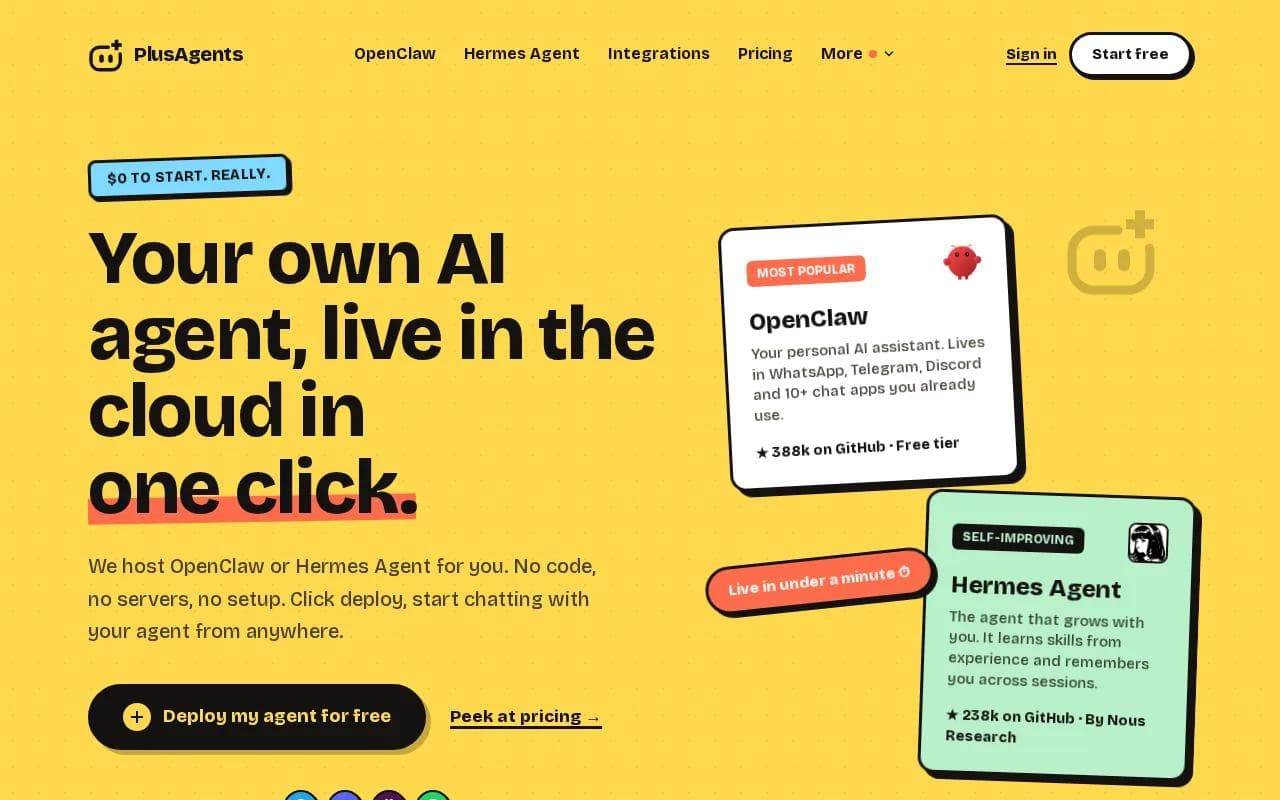
The AI agent vs chatbot split becomes easy to see here. You can ask the agent to triage email, research a topic, browse the web, manage files, or run a recurring task. It keeps memory across sessions instead of treating every chat like a blank page.
OpenClaw connects with WhatsApp, Telegram, Discord, Slack, Microsoft Teams, and other chat apps. Hermes Agent adds a learning loop. After a complex task, it can save a reusable skill and draw on past conversations later.
Deployment takes one click and usually finishes in under a minute. We handle the servers, updates, monitoring, and restarts. Every plan includes monthly LLM credits, so you don't need an API key to get started.
The free plan costs $0 and includes one active hour per day. Paid plans stay on around the clock, with Starter at $19 per month, Pro at $49, and Max at $99. Credits are capped, so heavy research can pause the agent until you top up or add your own key.
If you want a plain-language look at the setup choices, our guide to deploying OpenClaw without a server lays out the managed and self-hosted paths.
There is a fair limit. PlusAgents hosts the open-source agent software, but the agent can still make mistakes. Review permissions before connecting email or business apps. Start with low-risk work, then grant more access once you trust the results.
2. Vellum: Enterprise Assistants With Memory and Skills
Vellum is an AI agent platform for enterprise teams that want each employee to have a dedicated assistant with persistent memory and skills. It fits companies that need assistants to work across more than one channel, with a shared approach to deployment.
For the AI agent vs chatbot question, Vellum sits on the action side. The assistant is meant to retain context and support repeat work instead of only answering one prompt at a time. That matters when an employee returns to a task days later.
Its enterprise focus also changes the buying test. A team may care less about a free personal assistant and more about how assistants fit into existing roles, data rules, and approval paths. The platform is aimed at that shared workplace setting.
Vellum is a poor fit if you only want a private helper in Telegram or WhatsApp. It also asks for more planning than a one-click personal deployment. You need to define who gets an assistant, what it can access, and how teams review its actions.
For a wider look at no-code agents and automation patterns, see our no-code AI agent platform comparison. It helps separate personal assistants from systems built for company-wide use.
Choose Vellum when shared memory and employee access matter more than a fast personal setup. For one person who wants an agent at home in their daily chat apps, PlusAgents keeps the path shorter.
3. Microsoft Power Automate: Chatbot Workflows for Microsoft 365
Microsoft Power Automate is a low-code workflow tool for organizations that already run on Microsoft 365 and Azure. It is a natural fit for teams that need repeatable flows around Outlook, Teams, SharePoint, OneDrive, Excel, or other Microsoft 365 tools.

Here, the AI agent vs chatbot line depends on the design. A flow usually starts with a trigger, then runs set actions. A conversational agent can sit above those flows and decide which one to call after a user asks for help.
Imagine a new document arriving in OneDrive. A flow can extract data, place the result in a spreadsheet or SharePoint list, and notify a team. A user-facing agent could then answer a question about the processed file or ask for approval before the next action.
The strength is fit with the Microsoft ecosystem. Permissions, existing connectors, and familiar work apps reduce the need to move data into another system. Microsoft 365 users can also describe some workflows in natural language rather than build each action by hand.
The catch is scope. Power Automate is aimed at business workflows, not a personal assistant that remembers your preferences across ten chat apps. Flow design can also become hard to maintain when many branches, owners, and exceptions pile up.
Pick this option when Microsoft 365 is the center of work. If your main goal is to message one assistant from your phone and delegate mixed personal tasks, another platform may feel less boxy.
4. AWS Bedrock AgentCore: Scalable Agents for AWS Teams
AWS Bedrock AgentCore is an end-to-end service for building, connecting, and optimizing AI agents at production scale. It is aimed at enterprise teams already building on AWS, especially teams with security, access, and monitoring requirements.

AgentCore supports agents built with different frameworks and models. It can connect agents to enterprise tools and data with authentication and access controls. Tracing, debugging, and evaluation help teams inspect what happened when an agent takes the wrong path.
The platform also centers model choice. Teams can test models against their own needs for cost, speed, and quality. Bedrock includes tools for grounding, customization, encryption, and policy control, which can matter when agents touch sensitive business data.
This is not the simple answer for a freelancer who wants a personal assistant by lunch. You still need a clear use case, data plan, access model, and monitoring process. AWS makes sense when scale and control outweigh setup speed.
Use it for a customer workflow, internal operations system, or agent that must sit inside a larger AWS architecture. For casual daily work, the platform may feel like bringing a hangar to fix a bicycle.
Key Takeaway: Personal assistants favor fast deployment and chat access. Enterprise agent platforms favor permissions, monitoring, and control over shared workflows.
5. Vertex AI Agent Builder: Governed Agents on Google Cloud
Vertex AI Agent Builder gives Google Cloud teams a managed way to build agents, ground them in data, and publish them to users. It fits technical teams that already use Google Cloud and need governance around agent development.

The builder can connect an agent to a datastore. That lets the agent use approved reference material instead of relying only on general model knowledge. A travel agent example can use stored information to suggest alternatives when a requested destination does not exist.
That grounding step matters in the AI agent vs chatbot debate. A basic chatbot may answer from its model context. An agent connected to a datastore can look up company or project information before it responds. It can then be published through an application or another interface.
Vertex AI Agent Builder supports low-code agent creation with managed governance. That is a useful reminder: publishing an agent is easy; publishing one safely takes more thought.
The newer Google Cloud agent platform also targets teams that need to build, scale, govern, and assess agents with enterprise data. The tradeoff is clear. You get a strong development environment, but you need people who understand cloud projects, access rules, and deployment.
Vertex AI Agent Builder is a sensible choice for Google Cloud teams. It is less appealing if you want a ready-made personal assistant with no code and no cloud project to manage.
AI Agent vs Chatbot: Comparison Table for Choosing a Platform
The right choice depends on where the work happens. The table below compares the platforms by user, action model, setup burden, and main constraint.
Platform | Best fit | How work gets done | Setup feel | Main tradeoff |
|---|---|---|---|---|
PlusAgents | Individuals and small teams | Chat-based delegation with memory and tools | One click | LLM credits are capped |
Vellum | Enterprise employee assistants | Persistent assistants across channels | Planned rollout | More enterprise setup |
Microsoft Power Automate | Microsoft 365 organizations | Triggers, flows, and agent calls | Low-code | Best inside Microsoft tools |
AWS Bedrock AgentCore | AWS engineering teams | Managed production agents with controls | Engineering-led | Too much for casual use |
Vertex AI Agent Builder | Google Cloud teams | Grounded agents with managed controls | Cloud project needed | Requires cloud know-how |
In plain terms, a chatbot answers. An agent pursues a task with tools and some autonomy. This distinction means agents can execute multi-step plans and interact with digital systems.
When you compare platforms, check four things before the demo dazzles you:
- Where will you message the assistant?
- What can it change without approval?
- What memory stays between sessions?
- Who manages updates, access, and failures?
For many busy professionals, PlusAgents is the sensible starting point because it combines chat access, automation, memory, and managed hosting. Larger teams may need the governance layer of a cloud platform instead.
Pro Tip: Start with one low-risk task, such as a daily briefing or email sort. Watch the agent's work before connecting payments, customer records, or other sensitive systems.
FAQ
What is the difference between an AI agent and a chatbot?
An AI agent can plan and complete tasks with tools, while a chatbot mainly responds to messages. In an AI agent vs chatbot comparison, the key test is action. An agent may search a site, update a file, or run a scheduled task. A chatbot usually stops after giving an answer.
Is PlusAgents an AI agent or a chatbot?
PlusAgents hosts AI agents, not only chatbots. OpenClaw and Hermes Agent can work through chat apps, but they can also research, browse, manage tasks, and remember context across sessions. The chat window is simply how you give instructions. The work happens behind it.
Which platform is easiest for non-developers?
PlusAgents is the easiest option in this shortlist for non-developers because deployment takes one click and requires no server setup. You can start free, connect supported chat apps, and add integrations through a guided flow. AWS and Google Cloud provide more control, but they assume more technical work.
Can an AI agent work across multiple chat apps?
Yes, some AI agents can work across multiple chat apps, but support varies by platform. PlusAgents hosts agents that connect with WhatsApp, Telegram, Discord, Slack, and other channels. Many chatbot tools focus on one web interface or one business ecosystem, so check channel support before you buy.
Are AI agents safe to use with email and business apps?
AI agents can be safe with careful permissions, but you should start with limited access and review actions. Use OAuth where available, set approval rules for sensitive changes, and test with low-risk messages. Persistent memory and tool access increase usefulness, but they also increase the cost of a mistake.
Conclusion
If you want a personal assistant without servers or code, start with PlusAgents. Deploy OpenClaw or Hermes Agent, test one small workflow, and connect more tools only after the results look right. Visit PlusAgents to kick the tires before committing to a paid plan.
Ready to meet your agent?
Deploy OpenClaw or Hermes Agent in one click. Free to start.
Deploy my agent for free