Table of contents

Social content can eat your whole day before you publish a single post. The right AI tool cuts the dull work while you keep the voice, taste, and final say. Here are the best AI tools for social media content creation, matched to the job each one handles best.
1. PlusAgents
PlusAgents is best for creators who want an AI assistant to handle the work around content, not only the writing itself. We host OpenClaw and Hermes Agent in the cloud, so you can deploy one without touching a server, terminal, or config file.

Your agent can live in chat apps such as WhatsApp, Telegram, Discord, or Slack. You can ask it to research a topic, sort email, keep track of tasks, or help move a content idea toward publication. Hermes Agent can remember you across sessions, while OpenClaw works as a tool-using personal assistant with web access and task skills.
That makes PlusAgents a strong first pick for a solo creator who needs help with the full workflow. Imagine sending a voice note with five post ideas. Your agent can help turn those ideas into a brief, research questions, and a publishing checklist. You still review the copy. The agent handles the busywork.
The free plan is $0 to start. Really. It includes one active hour per day and capped monthly LLM credits. Paid plans keep an agent running longer, but usage still depends on the credits in your plan. You can top up credits or bring your own API keys.
We also include a dashboard, monitoring, automatic updates, and persistent storage. Integrations through Composio can connect an agent with Gmail, Notion, Slack, and many other apps. The tradeoff is simple: PlusAgents is a workflow assistant, not a dedicated caption editor or video studio.
If your problem is scattered work, click deploy. A one-click agent is easier to keep using than a clever tool you forget exists. You can also compare it with the best AI tools for productivity in 2026 when your content work starts spilling into the rest of your business.
2. AI Post Writer: Fast, On-Brand Captions
AI Post Writer is best for generating captions inside the publishing flow. These AI tools for social media content creation work well when you have the image or video ready but the words are slowing you down.

After you choose a platform, it generates copy suited to that channel. A LinkedIn post needs a different pace from an Instagram caption. A TikTok hook has a different job again. The tool is built around that distinction.
It can also help with tone, hashtags, emojis, and repurposing. A newsletter paragraph can become a short social post instead of sitting unused in a document. A caption tool can produce platform-ready copy in a publishing flow.
The main risk is bland copy. If you give it a vague prompt, you may get a caption that sounds like every brand on the feed. Add the audience, the point of the post, the proof you can use, and the action you want readers to take.
Use it for a first draft, not a final brand voice. Read the result out loud. If you would never say it to a customer, edit it before publishing.
3. Veo 3: Text-to-Video Reels With Audio
Veo 3 is best for creators who need short social videos from a text prompt. It generates video with realistic audio, which makes it useful for reel concepts, visual hooks, and scenes you can't easily film.

The appeal is speed. You can describe a scene, set the mood, and test an idea before arranging a shoot. A product educator might use it to mock up a visual opener. A small brand might test three creative directions before paying for footage.
Still, generated video needs review. Watch hands, faces, text, logos, and the timing of the sound. Small errors can make a polished clip feel strange within seconds.
Research for this shortlist found a useful pattern: tools with a clear automation claim tend to match a narrow job. Veo 3 points at professional social reels rather than trying to replace every part of a content team. That focus is a strength when your bottleneck is video concepts.
Use Veo 3 when you need a visual draft or a finished-looking clip without a camera day. Keep real footage in the mix when trust and proof matter.
4. Magic Video: Turn Clips Into Social Videos
Magic Video is best for turning loose clips into social-ready videos. It uses AI to stitch footage together, then adds beats, effects, and text.

This is a good fit after an event, product shoot, or day of filming. You drop in the raw clips instead of arranging every cut by hand. The tool gives the footage a structure that you can then adjust.
The time savings come from the first edit. You don't have to decide where every beat lands before seeing a rough version. That makes it easier to test a fast cut against a slower one.
But automatic editing can flatten your story. A tool may choose a technically clean clip that lacks the best human moment. Check the opening three seconds, the order of the shots, and any text placed over faces or products.
Magic Video earns its place when you have footage but no appetite for a long edit session. It isn't the right pick if your work needs frame-by-frame control.
5. Bulk Create: Scale Variations Without Repetitive Design Work
Bulk Create is best for teams that need many design variations from one layout. It can generate large sets of ads, marketing materials, visual spreadsheets, or infographics without forcing a designer to repeat the same edits.

Think about a local business with several offers and several audience groups. Instead of copying one design dozens of times, you set the fields once and let the system produce the variations. A human still checks the output, but the repetitive clicks disappear.
Four of six reviewed tools named a concrete automation capability, and bulk design generation was one of them. Yet integration details were often missing. That matters if your source data lives outside the design tool.
Start with a small batch. Check text length, image crops, names, prices, and calls to action before making hundreds of assets. A bulk error is still an error. It simply spreads faster.
Bulk Create is the pick for scale. It is less useful when every post needs a different layout or a custom art direction.
6. Magic Layers: Make Generated Social Graphics Editable
Magic Layers is best when a flat or generated image looks close to right but needs real editing. It splits the design into editable layers, including layers from generated images.

That changes the handoff. A creator can move text away from a face. A marketer can adjust a background element. A designer can fix the part that AI got almost right without rebuilding the whole graphic.
Magic Layers matters because generated images often arrive as one flat file. You can see the result, but you can't easily change one object inside it. Layer separation gives you more control after generation.
AI does not always mean automatic publishing or batch production. Sometimes the value is simply better editing control.
Use it when your content team wants AI speed without giving up manual polish. Skip it if your main need is scheduling or automatic distribution. For broader app connections, PlusAgents users can review the PlusAgents integrations for email, work apps, and automation.
Key Takeaway: Pick one tool for your biggest bottleneck first. Adding five tools before fixing the handoff usually creates more work.
7. Blismo: Keep Social Channels Active Automatically
Blismo is aimed at keeping social channels active with timely content tied to business availability. It fits businesses that need a steady presence but don't want to manually watch every change in their schedule.
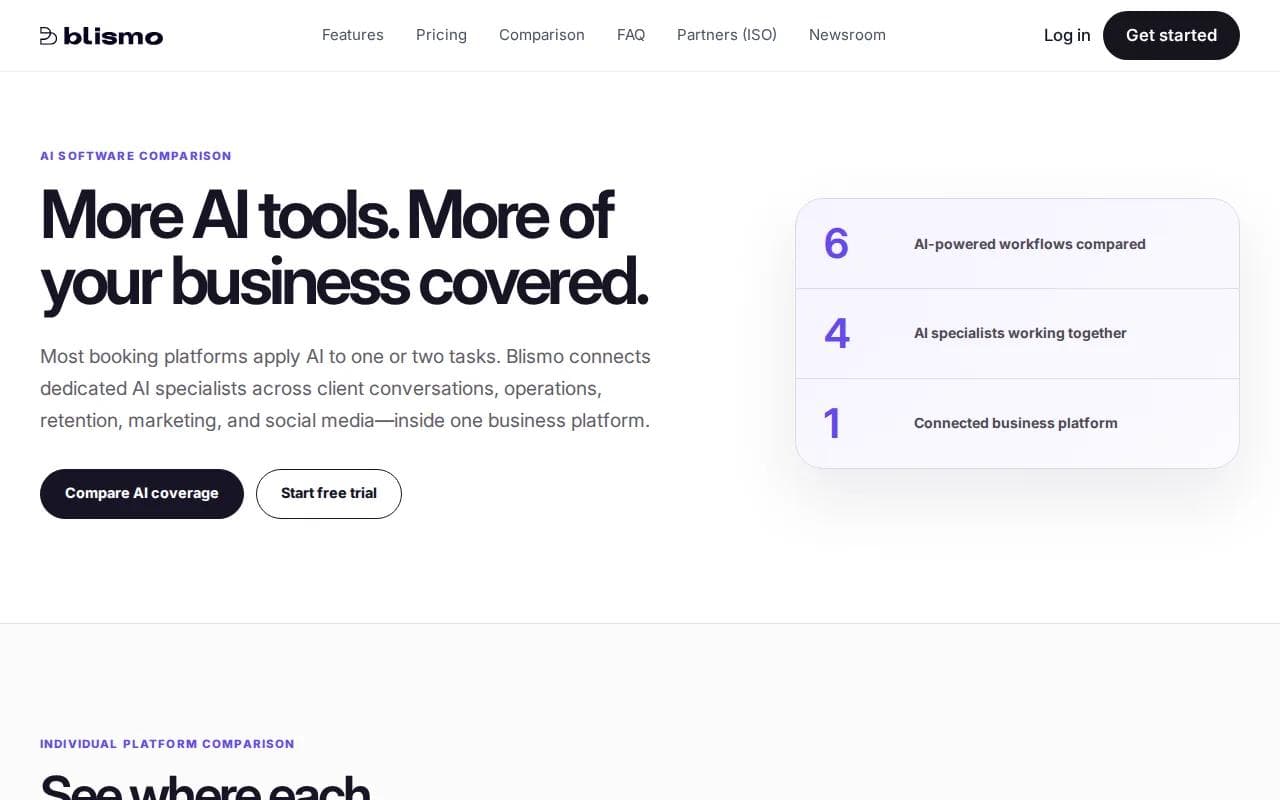
The useful idea here is timing. A business may have content that only makes sense while a service, offer, or booking slot is available. Connecting content to that status can reduce stale posts.
Blismo also exposes the integration paradox in this market. That doesn't prove the product lacks those functions. It means a buyer should ask how the workflow works before relying on it.
Ask what data drives a post, where approval happens, and what gets published when availability changes. Also ask how you pause a campaign when the information is wrong.
Blismo is worth a look when freshness is your main issue. It deserves a careful trial before you hand over an always-on publishing task.
8. Veo 3.1: AI Avatars for Multilingual Social Videos
Veo 3.1 is best for social marketers who need realistic multilingual avatars for video content and brand stories. It connects with Google Vids, Gemini 3.1 Flash Text-to-Speech, and Gemini Audio.
This can help when one message needs versions for several language groups. Instead of arranging a new recording for every version, a team can test an avatar-led format and review each output before it goes live.
Audio quality and pronunciation need close review. So does the feeling of the message. A clear translation can still sound wrong for the audience if the words are too formal or the avatar's delivery feels stiff.
Only two of six reviewed tools disclosed integrations. That gap is worth remembering when a product page makes broad workflow claims without showing where the content goes next.
Use Veo 3.1 for repeatable explainer formats, language tests, or brand storytelling. Keep a human presenter when personal trust is the point of the video.
If you also need an assistant to manage briefs, review requests, or handoffs, our guide to Hermes Agent and its memory across sessions explains where an agent fits beside a content tool.
9. Canva Bulk Create: CSV-Powered Social Publishing Assets
Canva Bulk Create is best for turning a spreadsheet into ready-to-share social posts, ads, name tags, or other high-volume marketing assets. It is the most useful pick here when your content already exists in rows and columns.

You can prepare fields in CSV or Excel, connect those fields to a design, and generate pages in a batch. The same method works for a quote series, a set of product cards, or multiple versions of a campaign.
Use case | Best input | What to check |
|---|---|---|
Quote graphics | Quote text and author | Line breaks and attribution |
Product posts | Product name, image, and offer | Prices, crops, and claims |
Short video cards | Hook, tip, and visual field | Text length and safe placement |
Campaign variations | Audience, headline, and call to action | Message fit across versions |
Confirm supported data connections before you build a large batch.
A simple workflow works best:
- Draft a small set of source rows.
- Clean the text before import.
- Connect each field to the right design element.
- Generate a test batch.
- Review every page type before scaling up.
Bulk production can save hours, but it does not remove editorial judgment. If the source sheet is weak, the finished feed will be weak at scale.
10. AI Workflow Tools: Research, Transcription, Scheduling, and Community Support
This category is best for creators who already have content but lose time between idea, draft, approval, and publication. It includes AI research tools, voice-to-text apps, scheduling systems, transcription tools, and community support workflows.

Use voice-to-text when ideas arrive faster than your fingers can type. Speak a rough outline, then turn it into a caption brief. Use an answer engine to check a fact or find a source, but don't treat an AI answer as proof by itself.
For video, transcription can turn a long recording into caption text and short clip ideas. Audio cleanup can rescue footage recorded near traffic, wind, or other noise. Scheduling tools help you place approved posts on a calendar, while community tools can help sort comments and messages for a human reply.
The key is the handoff. Decide where research ends, where writing begins, who approves the claim, and who owns the final post. A tool that does one task well can still fail if it leaves the next person with a messy file.
PlusAgents can sit above these tools as the assistant layer. An agent can help gather source notes, keep a content brief in memory, remind you about approvals, or move a task through chat. It won't replace your judgment, and it shouldn't publish sensitive claims without review.
For a deeper look at research workflows, the best AI tools for research in 2026 comparison covers source checks and ways to reduce inaccurate results.
Four named a specific automation function, while two named no automation detail. That is a small sample, but the buying lesson is large. Ask for the handoff before you buy the promise.
Pro Tip: Keep one human review point before publication. Check facts, rights, names, prices, and whether the post still sounds like your brand.
FAQ
How do I use AI without making my content sound fake?
Use AI for the rough work and keep human control over the message. Give the tool examples of your real writing, remove claims it can't prove, and add details only your business would know. Read each post aloud before publishing. If it sounds polished but empty, rewrite it.
Conclusion
For most solo creators, start with PlusAgents when the problem is scattered research, tasks, and follow-up. Add a specialist such as AI Post Writer or Bulk Create only after you know the exact bottleneck. You can start free with PlusAgents, deploy an agent in one click, and test the workflow before paying for more active time.
Ready to meet your agent?
Deploy OpenClaw or Hermes Agent in one click. Free to start.
Deploy my agent for free