Table of contents

Small businesses don't need another pile of apps. They need tools that take work off the owner's plate. Here are eight strong picks, with PlusAgents first for no-code task automation and the rest focused mainly on finance.
The split is clear. Many AI tools handle bookkeeping or websites, while far fewer help freelancers manage email, research, and daily tasks across the apps they already use.
1. PlusAgents: A no-code AI assistant for daily work
PlusAgents hosts OpenClaw and Hermes Agent in the cloud, so you can deploy an AI assistant without touching a server. It's best for freelancers, solopreneurs, remote workers, and small business owners who want help inside the chat apps they already use.
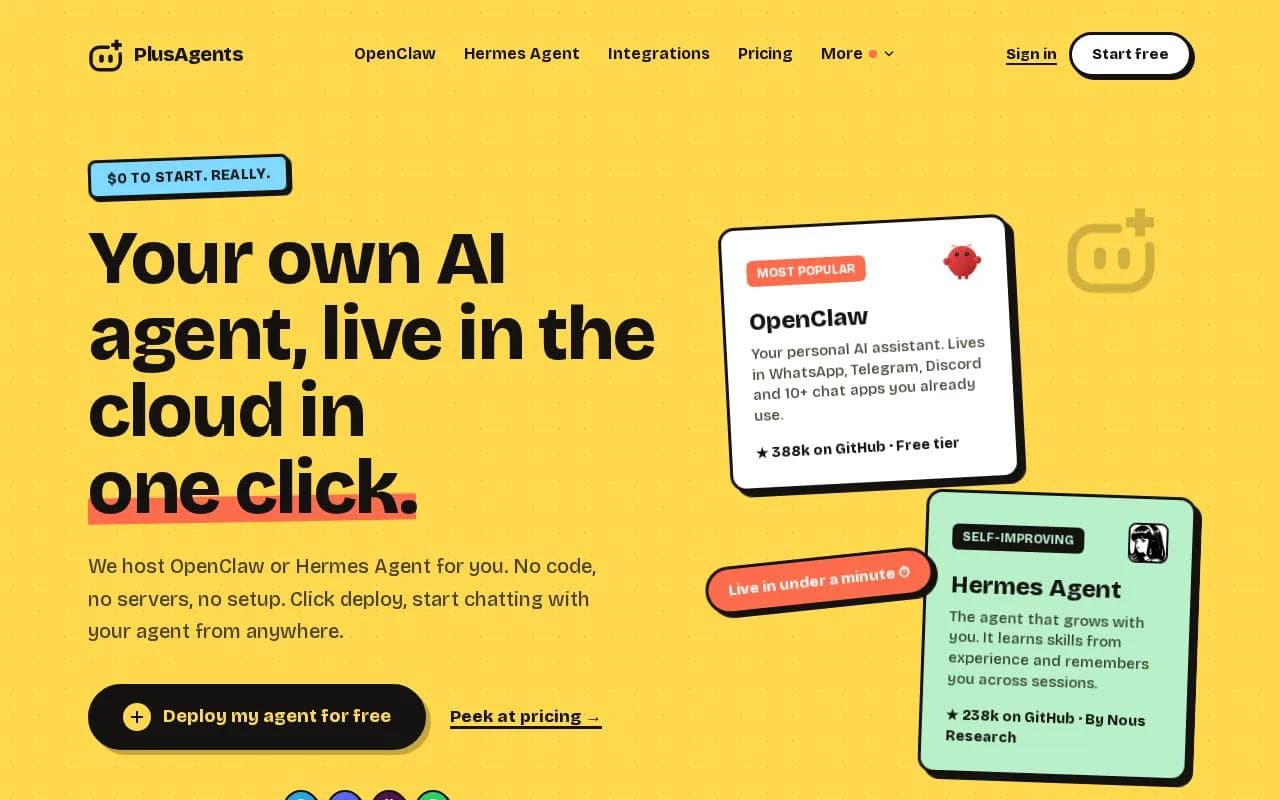
OpenClaw can live in WhatsApp, Telegram, Discord, Slack, and other chat apps. Hermes Agent, built by Nous Research, can learn skills from experience and remember you across sessions. Both agents are MIT-licensed open source. PlusAgents charges for hosting, not for the agents themselves.
That setup changes the daily workflow. You can ask the agent to sort an inbox, research a supplier, summarize a long page, or turn a rough idea into a task list. The work starts in chat instead of another dashboard. If you spend half the day moving notes between email, docs, and messaging apps, that small shift adds up. For a wider look at tools for chat, research, and workflow automation, compare these AI productivity tools.
We handle the servers, automatic updates, monitoring, and the dashboard. You don't need API keys to get started because each plan includes monthly LLM credits. The free plan costs $0 and includes one active hour per day, 2 vCPU, 4 GB of memory, and $1 in monthly LLM credits. Paid plans stay on all the time, with Starter at $19 per month, Pro at $49, and Max at $99.
There are limits. The free plan has a daily active-hour cap, and LLM credits are capped on every plan. You can top up credits or bring your own API keys if your workload grows. Integrations with Gmail, Notion, Slack, and more than 500 apps are available through Composio's self-serve connection layer.
For a closer look at the agent workflow, see our usable first-week guide to using OpenClaw. Start with one repeat task. Email triage is a good test. So is weekly research, especially when you pair the workflow with suitable AI research tools.
Key Takeaway: Pick PlusAgents when your main pain is scattered daily work, not only bookkeeping.
2. QuickBooks: Automated bookkeeping and financial insights
QuickBooks is a strong fit for small businesses and accountants that want accounting work handled inside a familiar financial system. Its AI focus includes automated bookkeeping, financial insights, and smart categorization.
Smart categorization can reduce the time spent sorting routine transactions. That helps when a business has a steady stream of bank activity but limited staff to review every line by hand. Financial insights can also give an owner a clearer view before a monthly review with an accountant.
The main strength is focus. QuickBooks is built around the books, so it makes more sense for a business that needs clean records before it needs a broad AI assistant. It can fit teams with up to 25 users. See the AI accounting software comparison for additional context.
Small firms should still check which AI functions are included in their plan. Higher-level features may not appear in lower tiers. Also, automated categorization isn't a substitute for review. A strange vendor name or unusual expense can still land in the wrong place.
If your key question is, Who paid us, what did we spend, and what needs review, QuickBooks is a sensible place to start. If the question is, Can an assistant research a market and follow up in Slack, look at PlusAgents instead.
3. Xero: Connected accounting for growing businesses
Xero is built for day-to-day accounting at firms and growing businesses. It stands out when bank reconciliation, invoicing, and connections to other business systems all need to sit in one workflow.

Bank reconciliation is the core use case. Transactions can be matched against the business record, which gives a finance team a cleaner list of items that need attention. Invoicing then fits into the same daily finance process rather than living in a separate tool.
The integration ecosystem matters as a company grows. A small firm may begin with one bank and a few invoices. Later, it may need links to payroll, payments, expense systems, or specialist apps. A connected accounting system can reduce the number of exports and manual handoffs in that chain.
That connectivity also brings a question: which integrations does your workflow actually need? Research into small business AI tools found that integration details are often missing from public listings, even when products may support large ecosystems. Ask for a full connector list before you switch.
Xero is a better match than a general AI assistant when finance is the center of the job. It may be too narrow if your biggest bottleneck is customer support, content work, or inbox triage.
4. FreshBooks: AI-supported invoicing for freelancers
FreshBooks is aimed at small businesses, freelancers, and solopreneurs who need a simpler way to handle invoices, expenses, and time tracking. Its AI support sits close to the work that gets a freelancer paid.

That makes it useful for a service business with billable hours. You can track time against client work, turn that record into an invoice, and keep expenses tied to the same job. The less glamorous part of freelance work is often the delay between finishing a task and sending the bill. FreshBooks targets that gap.
AI-supported invoicing can help with repeat admin, but you still need to check the final invoice. Rates, hours, tax details, and client names deserve a human look before anything goes out. A polished invoice with one wrong line item is still wrong.
FreshBooks is also easier to frame for a one-person business than a deeper finance system. You don't need multi-entity reporting if you sell your own time and send a manageable number of bills each month. You may need something else once your books involve several entities, complex controls, or a large AP process.
For freelancers who want an assistant beyond invoicing, pair a finance tool with a chat-based agent. Our guide to AI email assistants for inbox work covers the other half of the payment cycle: keeping client messages from getting buried.
FreshBooks makes the most sense when getting paid is the main pain. Don't buy it expecting a full operations assistant.
5. Zoho Books: End-to-end accounting as you grow
Zoho Books is an AI cloud accounting choice for growing businesses that want more than invoices. It covers end-to-end needs that can include invoicing, inventory, and expenses.

This wider scope helps when a business starts to outgrow a basic invoicing app. Say you sell products and services. You may need to see which invoices are open while also tracking stock and recording expenses. Keeping those pieces in one accounting setup can cut down on duplicate entry.
Zoho Books also has a free version for micro-businesses. For broader context, see this free accounting tools resource.
The free plan has a clear use case, but it isn't a fit for every company. As revenue and transaction volume rise, you may need a paid tier. The product can also take more time to learn than a very basic bookkeeping app.
Choose Zoho Books when you want accounting to grow with sales activity and inventory. Choose a separate AI agent when the work you need to automate lives mainly in messages, research, and task handoffs.
Pro Tip: Before buying any finance tool, list the three handoffs you repeat each week. The best fit should remove at least one of them.
6. Sage Intacct: Deeper controls for complex finances
Sage Intacct is designed for organizations with complex accounting needs. It is a better fit when multi-entity reporting, deeper controls, and a modular setup matter more than a quick solo-business start.

Multi-entity reporting matters when one company needs to review several legal entities or business units without flattening them into one messy view. Dees, approves, or changes financial information.
The modular setup gives an organization room to add capability as its finance process gets more demanding. That can be useful for a growing firm with a finance lead, an accounting team, or outside advisors who need consistent reports.
But complexity has a cost. A system built for layered financial control may be too much for a freelancer who sends ten invoices a month. It may also call for more setup and training than a small owner expects.
Sage Intacct belongs on this list for the edge case that many short AI tool lists skip: some small businesses have complex finances. Size alone doesn't decide the tool. Structure does.
7. Vic.ai: Less manual work for accounts payable
Vic.ai is for AP teams that want more visibility into spend and less manual work across the invoice process. It focuses on the path from invoice intake through approval.

Accounts payable becomes slow when invoices arrive through several channels and each one needs review, coding, and approval. A tool focused on the full invoice flow can give the AP team one place to see what arrived, what needs action, and what is waiting.
That visibility has a direct operational use. A manager can review pending approvals instead of asking staff to search email threads. The finance team can spend more time on unusual invoices and less time copying details from routine ones.
Vic.ai is narrower than QuickBooks or Xero. It isn't the first pick for someone who needs broad bookkeeping or freelance invoicing. It is a specialist layer for a business where AP volume is the drag on the finance team.
Start with the invoice process map. If the bottleneck starts before an invoice reaches the accounting system, Vic.ai is worth a closer look. If the bottleneck is a scattered owner inbox, use a general assistant instead.
8. Dext: AI receipt capture before the books
Dext is a pre-accounting tool for receipt processing. It captures receipts, invoices, and expenses, extracts key data, then sends cleaner information to accounting software.
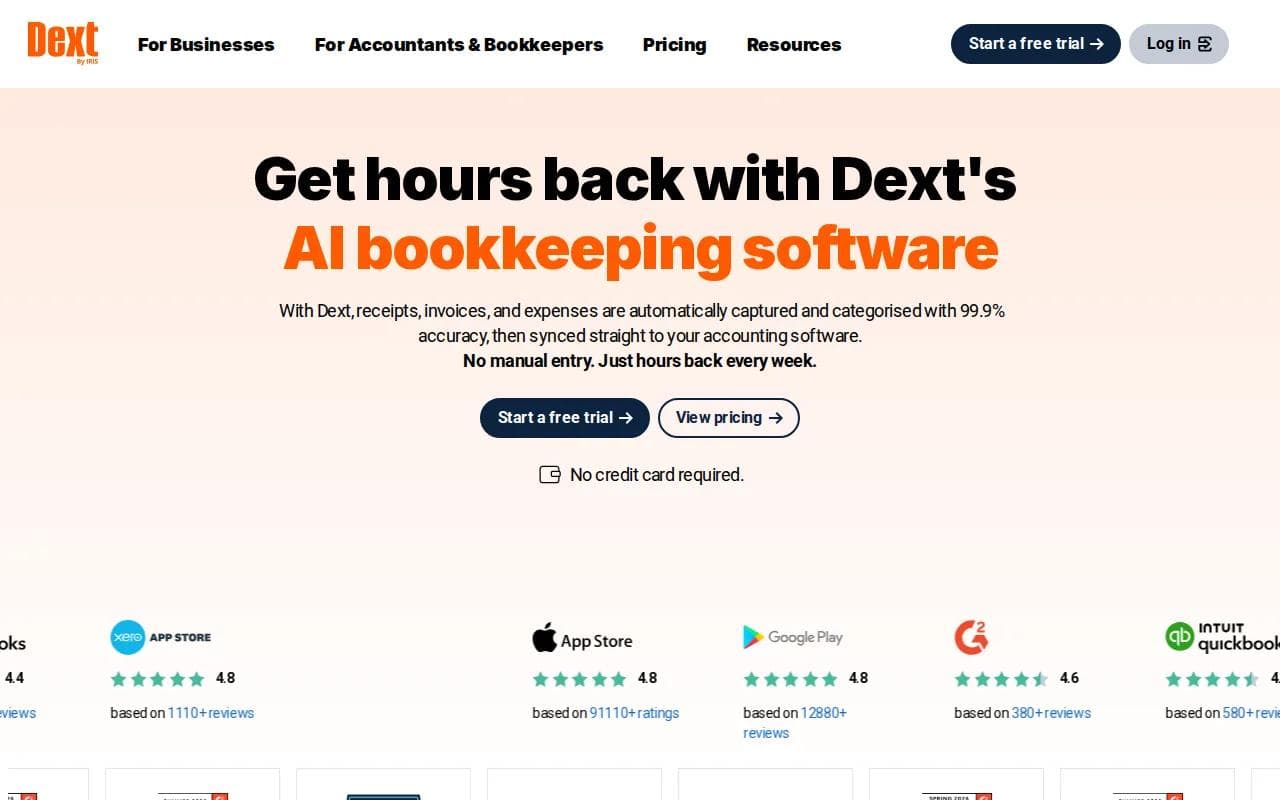
People can submit documents through the mobile app, email, or upload. Dext extracts details such as supplier information, expense lines, and invoice due dates. It can then categorize the expense and sync it with the accounting system.
Dext integrates with over 30 accounting software platforms, including QuickBooks and Xero, plus e-commerce platforms and financial institutions. It also says the system retains original document scans for at least ten years. Those are useful details for a business that needs a searchable audit trail.
Dext's data extraction still needs review. Receipts can be blurry, tax rules can vary, and unusual purchases still need a person to check the result.
Dext is a strong add-on when the books are fine but the documents arrive in a shoebox, camera roll, or crowded inbox. It won't replace a general AI assistant. It makes the first step of bookkeeping less painful.
Quick comparison of the best AI tools for small business
The right choice depends on where work gets stuck. This table groups each pick by the job it handles best, its likely buyer, and the main limit to consider.
Tool | Best fit | Main job | Watch for |
|---|---|---|---|
PlusAgents | Solopreneurs and small business owners | Chat-based task automation | Usage caps and LLM credit limits |
QuickBooks | Small businesses and accountants | Bookkeeping and financial insight | Check plan-level AI features |
Xero | Growing firms | Reconciliation and connected accounting | Confirm needed integrations |
FreshBooks | Freelancers | Invoices, expenses, and time tracking | Review invoices before sending |
Zoho Books | Growing businesses | Accounting with inventory and expenses | Free tier has eligibility limits |
Sage Intacct | Complex organizations | Multi-entity finance controls | May require more setup |
Vic.ai | AP teams | Invoice intake through approval | Focused on AP, not all business work |
Dext | Receipt-heavy businesses | Document capture and extraction | Review extracted data |
One more buying point: free access is less common than many lists suggest. Read the limits closely. A free plan may be a useful test, but it may not cover the workload you need.
Also check privacy before connecting financial records or customer messages. Give an AI tool only the access it needs. Keep a human review step for payments, tax records, customer complaints, and contract decisions.
FAQ
What is the best AI tool for a small business?
The best AI tool depends on the task you want to remove. PlusAgents is the strongest first pick for solopreneurs who need a no-code assistant across chat apps. QuickBooks, Xero, FreshBooks, Zoho Books, and Dext make more sense when bookkeeping, invoicing, or receipt capture is the main problem.
Can AI tools really automate small business tasks?
Yes, but automation varies by product. PlusAgents can help with email triage, web research, and task flows inside chat apps. Finance tools automate narrower jobs such as categorization, reconciliation, invoice handling, or receipt extraction. Always check the exact workflow before assuming a product runs it end to end.
What is the cheapest AI tool for a small business?
PlusAgents has a free plan with one active hour per day and $1 in monthly LLM credits. Zoho Books also has a free version for qualifying micro-businesses. Free access often comes with limits, so compare the cap against your actual workload before choosing based on price alone.
Are AI accounting tools safe for small businesses?
AI accounting tools can be useful, but safety depends on access controls, vendor terms, and human review. Limit permissions where possible. Check unusual transactions before approval, and don't let an automated system make a final tax, payment, or legal decision without a qualified person.
Should I use one AI tool or several?
Use one tool first when your business has one clear bottleneck. A freelancer might start with FreshBooks for invoices or PlusAgents for inbox and research work. Add a second tool only when the first solves its job well and the handoff between systems won't add more admin.
Conclusion
Start with the task that steals the most time. If finance is the bottleneck, choose the accounting or receipt tool that matches your process, then test it with real records before rolling it out.
Ready to meet your agent?
Deploy OpenClaw or Hermes Agent in one click. Free to start.
Deploy my agent for free